
Transcript
Show full transcript (3927 words)
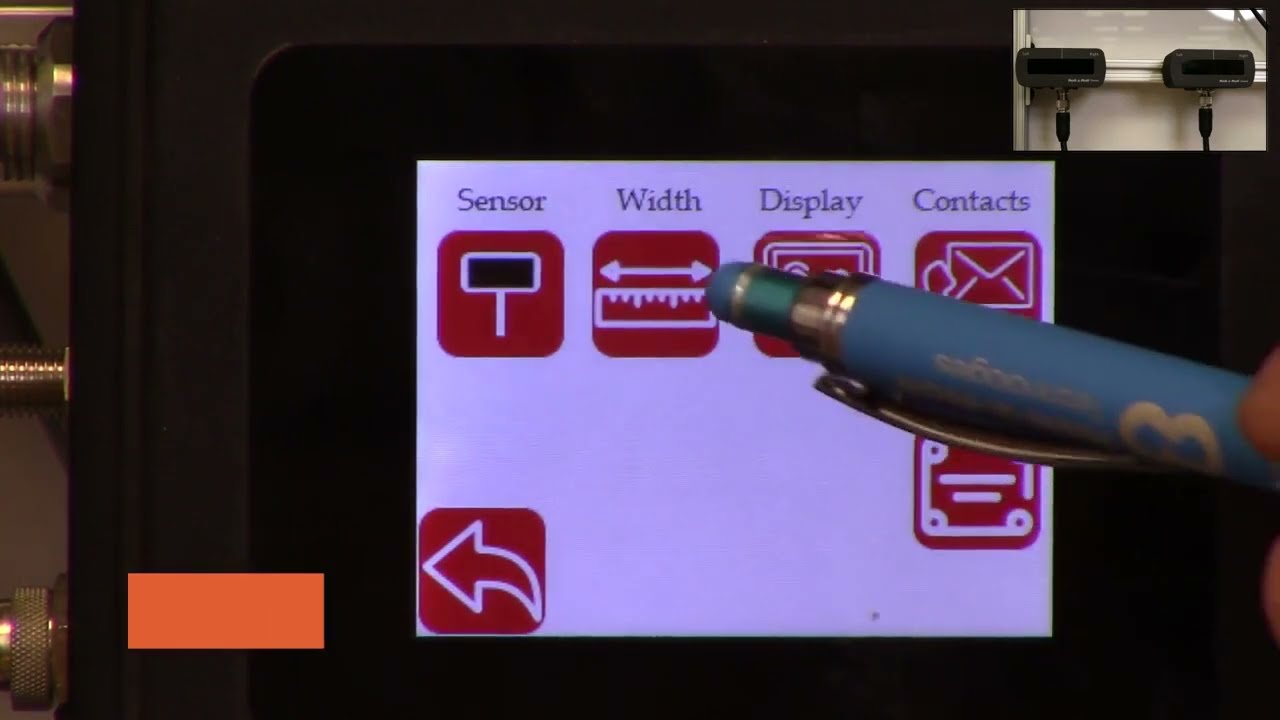
hello everyone today we are going to talk a little bit about the web width measurement application and how we can use the scu5 controller to measure the web width and also use another plc to collect that data log that data and also save it in a csv file on a usb thumb drive in order to do this what we're going to do is we're going to first set up our se5 controller for width measurement mode and then we also offer the rti which is the plc which has a special program that would actually talk to the scu5 controller and then allow the user to connect a usb drive to the plc so that the data can be logged automatically in the plc and the communication between the plc and the sco5 controller is being done through ethernet ip and then the user also has the ability to set up lot numbers so that when they are tracking different product codes they can enter that and that information is saved in the usb file automatically and the plc also allows the user to start and stop the data collection based on a line signal so that the data is only collected when the web is running and when it's not running the data can be automatically stopped from data collection and then finally we can also connect that plc to a stack light directly so that we can provide the alarms for warning error and then all good signals so all of this can be done uh through the plc and that's what is shown here this is the plc that we would be using to do that the first step in this process is to make sure that we have the suv5 controller set up for web width measurement mode and then the second step is to make sure that the ethernet settings on the sc 5 controller and the plc matches and then the third step is basically setting up the parameters on the plc so that you have everything for triggering the stack light as well as data logging so those are the three main things that we are going to cover so first we'll start off with setting up the se5 controller for width measurement mode as you can see here we have the sco5 controller now ready and then we also have the two sensors up on the top right corner and we're using two sensors one for detecting each edge of the web we'll go through this process so that we can set up the controller for width measurement as you can see if a web is presented you can see that both edges of the web are seen by the two sensors and then once that is there we just need to set the controller for width measurement mode and that can be done by following these steps first we're going to go into the tools icon right here and then go on the bottom power user and then go into the analog mode and make sure that the width is selected here and when we select this as the width now the home screen now shows the width as the output the controller still doesn't know the distance between the two sensors so in order for us to do that we need to teach the controller for the width so if i present the web here it's going to give some random values there so in order for us to teach that the distance between the two sensors we're going to go into the tool cycle and again and then the top right icon is the operator icon we're going to click on that and we're going to click on the width mode and then a few things that we are going to set so that we can teach the controller for the right measuring mode first of all the output type we're going to change it to absolute and then the nominal width this is going to be the width of the product that you're going to present while you're teaching so in this case the width of the product is approximately about 5 inches so i'm going to set in 5 inches right there and you can use this icon to change that and then the upper limit and lower limit it does not matter for this application because we're going to use the data raw data through ethernet to take care of that so we don't have to worry about that and now at this point all that we have to do is to present the web and then teach that while the web is presented so that's what i'm going to do right now so once we present the web and the teaching is accepted now we can go back to the home screen and now the controller is set up for width mode with two sensors and then now it's showing you the absolute width of the product as we move the web when the weight changes you can see that the width of the product also changes so the next the second step is that now the data is being collected in the scu5 the data is sent through the ethernet it's not being logged so in order for us to log that data we need to be able to set up the network parameters so that we can take care of these so the second step is to make sure that the network parameters are set up the easiest way for us to find out what is the ip address of our device and also set the network parameters is through the operator interface directly so we can do that by going into the tools icon the power user icon and then go into the communication we want to make sure that the ethernet is on as shown here and depending upon your network settings you may or may not want to have the dhcp on and then ftp on that really doesn't matter for this application if a network device is present then the controller will actually show the type of industrial network that is here and this is called ethernet ip and for in our case ethernet ip is the type of industrial network that we are using depending upon the firmware version you might have something here that says what type of module that we have we have two types of modules hms as well as hillshare depending upon what module you have that will show up if you have a older version of the firmware let's say version 3.6 d or maybe even 3.6 a then the type of module will not show up there the ip address of the module is shown here the subnet mask is shown here the gateway is shown here and then the mac address is shown here if you want to change the ip address of this module then you can just press this ip button and then type in the ip address that you want to change so i'm going to say 192 0 0 and 1 100. this is just for illustration purposes i actually put it as 2.100 if you want to set this you can press the set button to set it because i set the ip address wrong so i'm going to go back in and put the right at the address so again press on that one ninety two one sixty eight zero zero one and one hundred once we do that we need to press the set at the address to have the ip address set based on what you have entered and then if the ip address is different than what you had before you can hit the refresh button just to be sure that the controller has taken the ap address in some of the cases we might have to restart the whole controller especially with older firmware we might have to anytime we make a network change we might have to restart the power cycle the call controller with the newer firmware and the chip that we have we don't have to do that but likewise you can do the same thing for the mask and gateway and then if you have a controller or network where you are setting the dhcp then you would turn on the dhcp and anytime you turn on or off the dhcp you do need to power cycle the controller but essentially that's the easiest way for us to set the ip address the network information and also to view what controller or what module that we have on this particular controller there's also ways in which we can set these network information through a computer we're not going to talk about it today but this is the easiest way in which we can set this up now the second step in in this process is once we have this set up now we're going to go to the plc and make sure that the plc has the right parameters for communicating between the seo 5 and this controller the easiest way to make sure what the plc network information is and what the ip address for the plc is is done by actually pressing on the top left and the sorry the bottom left and the top right corner of the plc several times okay once you have that then you can go in and click on the offline so once you get into this offline mode you can also ensure that the ip address for the plc is set properly and make sure that it matches with the network information on the su-5 controller you have the ability to connect the suv5 controller to a managed or unmanaged network likewise you can do the same thing with the plc or you can directly connect the plc to the sc 5 controller without going through a switch if you do that what we need to make sure is that the network information on the plc matches the network information on the sco5 controller and then plc has a distinct ip address compared to the sco5 controller and then the plc also knows the explicit ip address of the seo 5 controller so in order to check all of these things what we can do is we can go into the offline mode as shown here once you are in this offline mode we can go into the main unit and then click on the ethernet and then click on the lan and now this shows the information for this plc so this is the ip address subnet gateway for this plc we just need to make sure that this information is similar to the information on the scu5 controller so let's go ahead and look at that c5 controller communication and the ip address for the se5 controller is not the same as the plc which is what we want the subnet mask matches the gateway matches and then if you compare that with the plc has an ip address of 10 the sg5 has an ip address of 100. so once that is done we can go back into the peripherals and then look at the device plc settings ethernet ip and then go into that device and this is actually the device that we are trying to connect in our case scu5 so that ip address of that u5 matches the ip address on the plc now we have set up the plc and the se5 with the right network information so that they can talk to each other okay once we have all the ap address set up now we need to go into the steps that are necessary for data logging and also to start the communication first and foremost what we want to do is we want to make sure that the communication between the plc and the sg5 controller is going properly and for that we're going to go into that communication screen and then right now it says the ethernet ip is actually off so let's go ahead and turn it on now the ethernet ip is on if you don't see any error messages then it means that the sg5 controller and the plc is communicating properly just to show you what happens if it doesn't communicate i'm going to remove the ethernet connection from the se5 and you can see that there will be an error message that will show up saying that the tcp connection is lost or things like that so if you see that error message that means that the either the device is not set up properly to communicate with the seo 5 controller and this would be the error message that you would see um and it shows that that's not the plc it's basically it's not able to connect to the sco5 controller so as soon as we connect the cable back this error should disappear within a few within a minute or so and then yeah likewise now it's communicating with the plc with the suv so once that is set up so when you have a web in front now this should provide you the width of the web on the plc but it's also showing that width on the su-5 controller so in order to change the units what we are going to do is actually go into the setup screen and then go into the other setup as well and then the units are here you can set that to inches even though scu5 may be set to inches the plc can be set to another unit irrespective of what the unit of the scu5 is and in this screen you can also change the language currently we support english and spanish so if you press spanish it's going to go to all the icons would change to spanish and then if you want to set things back to english then you can do that so this is where you would set the units and you can go back to the home screen and now if we present the web now the units would be in inches just like what the sc5 is now we know that the sco5 is communicating with the plc and then you are able to see the data now we can add more things to it so as you can see on the home screen there are the three lights that are available these are the three digital outputs so in order for us to run up a stack light what we do is we take the data from the scu5 and then use the recipe or the settings that are there on the plc so that you can set up upper limit and lower limits for the alarms and warnings that way you can connect it to a stack light and the stack light would go on based on that so in order to do that we're going to go into this screen and then go into the width setup and we can set the upper limit and lower limit for the alarms and all the units are going to be in the respective units for the alarm and as well as the width so the first step that we want to do when we are in this which setup screen to trigger the stack light is to set up the nominal width the alarm warning and all this information so in our case we have set the nominal width to 5 inches but if you want to change it to some other value you can just press that button upper limit and lower limits for the alarm and the warning doesn't have to be symmetrical so it can be asymmetric the alarm value should always be greater than the warning value uh that's the precondition when the width value exceeds the alarm value or goes above the upper limit of the alarm value or goes below the lower limit of the alarm value then the red light is going to be indicated and then likewise if it's in the range for the warning it will be in the amber and then if it is within the nominal width that's going to show the um essentially the green so once we have it set up we can go to the home screen you can see that right now the alarm is enabled and then when the width is within the nominal range you have it as green and then if the width changes to some value that is outside those limits amber and then if it's really off then it goes to red and that's the way in which this works now you can also plot this data so you can see that in a real time graph it's going to show you the the limits for the width as well as the limits for the alarm showing that in red so you can have a visual indication of how it's been doing starting with the graph like that now that we have set up these alarms and warnings and stuff like these are not used for data logging purposes but these are just for triggering out triggering the stack in order to lock the data you can start logging by connecting a usb and if you want to have some lot information you can go in and press that and enter your lot number so that when we log the data that lot number is also allocated there so in order to log the data we need to be able to connect the thumb drive there's a usb port underneath the plc that we can use to connect that thumb drive so i have an extension cable here so i'm going to connect the thumb thumb drive through an extension cable but as soon as we connect that thumb drive to the plc there should be a blue icon that appears in the bottom right as you can see in the bottom right hand corner that icon appears and if you want to take a look at it go inside right now it has disappeared but that lets you know that the usb has been recognized and connected to the device once you are ready with that what we can do is go into the plc and start data logging so we have the web here and we have presented all the uh the settings for the upper limit and lower limit and all those kind of things so since they're all set up right now we can go ahead and start collecting the data and when the web is there you can see that it's measuring that we're going to go away and then communication data log now it's saying no data logging is being done so in order for us to do the data logging i'm going to start and now this is started data logging the remote data log is off right now but if you want to have a another interface or a signal that would tell us when to lock the data i went to start i'm going to stop then you're going to enable that if you want the operator to start and stop the data logging then you can just go here and do it since the logging is being done it says logging data on the top left hand corner and then once you're done data logging you can just press the stop button right there and then if you want to remove the usb you can safely remove the usb by pressing the top and the bottom just like what we did before and then now it shows up the usb icon at the bottom there so we're going to click on that icon and then say remove usb storage device and press yes on it and then the storage device has been removed successfully because that icon on here has disappeared now you are able to disconnect the usb thumb drive and once you connect it to the computer then you have the ability to take a look at the data so let's do that next okay we're going to switch over to the computer screen now the usb is connected and you can see that the thumb drive has been recognized and it shows the different files that are there so today is the 25th so we have that file right there showing the 25th and if you double click on that file you can see that it has collected the data the lot number has been assigned and then you also have the sorry about that you also have the width data that is being presented here as you scroll down okay as you scroll down you can see the actual width measurement that was done so right now the time scale is about in this particular program it's about once per second so the width at that time was 4.735 inches and the units is basically the same units that we have on the controller so if you had units the unit shows up and if you have inches it shows up the lot number shows up and then the time when it was recorded and then the date when it was recorded so that's as simple as that to be able to log the data through the rti plc um in from our scu5 controller one other feature that we have is that we also have the ability to provide some recipes the recipes are used when you are running different web with products and you don't want to change the nominal with the alarm and the warning information every time you change the width you can create your own recipes and that's done here and um anytime you want to load a recipe you click on that product product number and then you're going to press load recipe and whatever that value is going to be loaded it's going to be displayed it will not be presented or pushed to the home screen until you press the accept so now once you press the accept that value is being loaded anytime you want to save a new recipe you're going to go in there press on load and then press the values for those so if i want to change that nominal width to 5 inches i'm going to enter that nominal width and then the all the other settings are set now i am happy with this recipe so what i'm going to do is i'm going to save that now product one every time we go to product one it's gonna have the five inches so we go back to product two load that recipe that shows up there and product one come back here and load that recipe now it's five this is just displaying it so if you want to push this to the home screen you still need to press accept and we're gonna do that now if you go back to the home screen that's gonna show you that the new alarm and warning signals and you can see that here if i present the web you can see that it's good now and it's an alarm now i think so that's essentially it
AIMCAL R2R 2020 Conference: Advanced Web Guiding Applications and Concepts
Transcript
Show full transcript (5014 words)
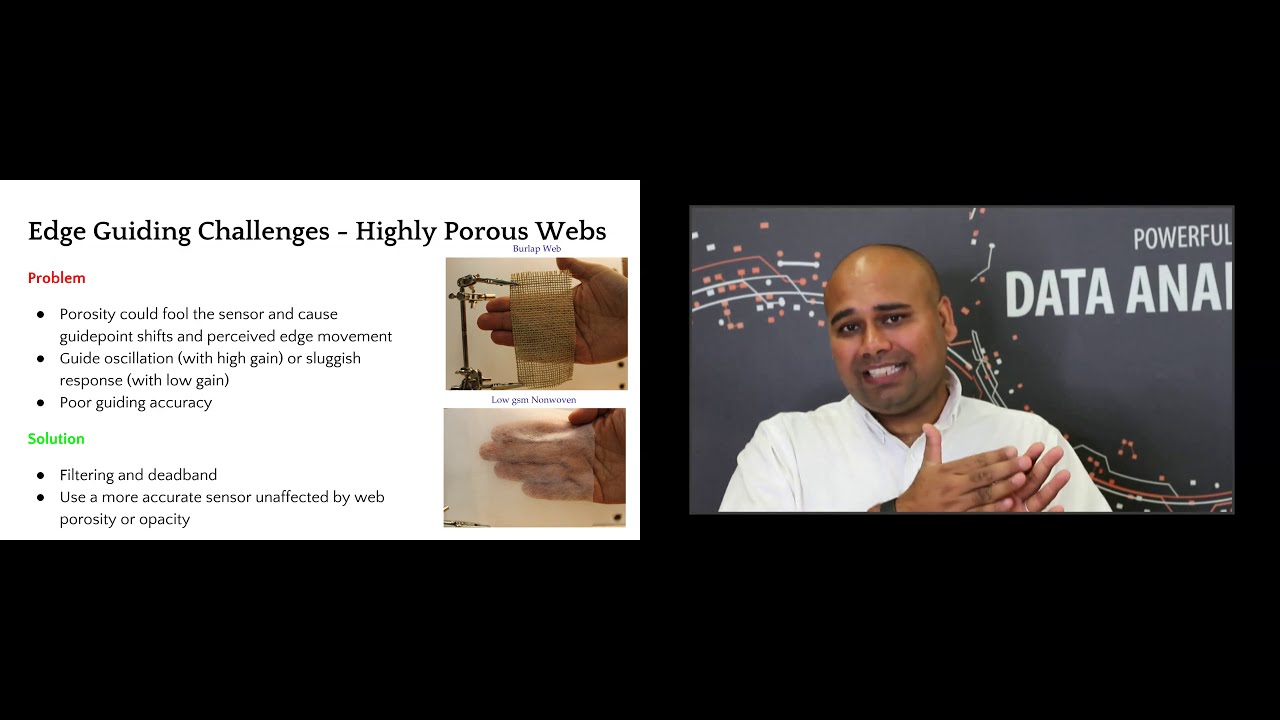
good morning everyone this is aravind se chadri from roll to roll technologies i'm here today to talk about advanced web guiding applications and concepts before we begin let's look at some of the basic concepts regarding edge guiding center guiding sensor positioners moving sensor center guide what do we mean by guide point what do we mean by remote guide point uh what is a dead band and what is edge filtering we will use these concepts to build on so that we can look at how some of the challenging guiding applications can be solved uh by uh some of these things that we initially cover so uh everybody is familiar with edge guiding if not edge guiding or guiding basically is to align the cross machine direction position of the web within a roll roll-to-roll machine so you're laterally positioning the web at a certain location in the cross-machine direction of the web this is typically done with a single sensor and the sensor measures the position of the web and sends that information to a control system and uh based on the measurement and the reference there's an error that is computed and then the control system sends the command to the actuator and then the mechanism uh the web guide mechanism moves the web and then this is a closed loop control system that keeps going on typically one sensor or two sensors are used and in a single edge guiding application the sensor may be installed on the drive side or on the operator side depending upon what is required and then the sensor is typically positioned at a constant or a predefined uh reference within the machine so that the web can be guided uh to a certain position within the machine now the main issue with a single sensor web guiding application is that um whenever the web width changes then somebody has to go move the sensor and uh depending upon your process uh if the process is aligned to the center of the machine or if it's justified to one side of the machine the sensor might have to be moved at different locations and any time when you have to move a sensor that causes downtime and it also introduces an opportunity for error and operator error so that's the main issue with edge guiding with a single sensor and and apart from edge guiding there are some situations in which center guiding is used where you have two sensors each of them looking at one edge of the web and then they send the signal to the controller and the controller averages those two measurements and then based on that average measurements it computes the error and then it moves the actuator based on the error the main reason why the center guiding is used is in applications where there is an inherent possibility of a slight variation in the web width let's say you have an extrusion process you're extruding the web but it's not a a straight edge it might have some amount of variation there to reduce the effect of either justifying to one side where you you might have a perfectly round roll on one side and then a really jagged uh raw uh edge on the other side it's common for um manufacturers to use two sensors to center guide the web now even with the center guiding application when the web weight changes uh somebody has to move the sensors and again like um a single sensor you need to move it at the right location and now you have two sensors that needs to be moved and then these two sensors have to be positioned exactly equidistant from the center line uh all of these causes time and if there is an error then it causes downtime as well so in order to avoid this some manufacturers have what is called as automated sensor positioners instead of manually moving the sensor you can automate that by connecting an actuator to the sensor and you can move one or two sensors based on what product you are running and you can automate it by setting all of those into the plc so that based on the product code the sensor is moved automatically this does reduce the downtime and then it also helps reduce the operator error but this system is a little bit complicated um because you have a system lan an actuator it needs another control loop to move the sensors and if those sensors have to move automatically without an operator kind of pressing a button to get it to the different location then you have an additional control loop in there and that increases the complexity of the system and then when you have an additional control loop you also need to tune the control loop so if the web width kind of varies like like this and if the sensor is automatically moving it's oscillating back and forth then the gains of those system has to be uh adjusted just right so that it doesn't never miss the web and then it's not too aggressive that it can run into the web and damage the web so this increases complexity additional actuators additional drives that are involved and overall it adds more mechanical wear and tear to the system um a better way of doing this is to just have a white sensor uh if your sensor is wide enough to accommodate any web weight variation then there's never ever a need to move the sensors and you can put one sensor on each edge so you have a center guiding sensor center guiding application with two sensors and with the web width varies and if the sensor is wide enough to see all of the variation then you would never have to move the sensor and you can still do that one of the key things in accomplishing accomplishing this is uh basically what we call as a guide point so when you have a single sensor and you're guiding the web uh based on the measurement from the sensor the control system is going to use a reference signal and that reference is usually the middle of the sensor's position measurement so if the sensor has an output of 0 to 10 millimeters and 5 millimeter for example would be the reference and if the web goes at four millimeters or if the web is at six millimeters then there is an error that is being created based on the magnitude and the direction of the error the uh control system sends the command to the actuator to move the web guide and most most often the guide point or the reference is in the middle in this case it's 5 like what i mentioned now instead of moving the sensors manually what can be done is actually move the reference within the sensor so instead of guiding to five millimeter when the web weight changes you can guide to two millimeter as the reference so if the web is at one millimeter it creates a negative error and then when the web is at three millimeters it creates a positive error and now your guide point is moved to two millimeters and this is what is called as an electronic guide point change the main advantage with the electronic guide point change is that if you have a sensor that is pretty wide and let's say you have a sensor that is 17 inches wide then any web width variation you don't have to move the sensor so that the web can be guided to the middle of the sensor you can just electronically move the guide point to a location so that the web can be guide at that location and this is a simple uh thing that can be done it's easily it can be automated easily and then you don't have any mechanical wear and tear because everything is fixed and you never have to move the sensor and this is what is illustrated in this uh animation here where if the guide point is to the left or to the right then the the reference for that control system uh is going to be at that location and then the actuator is going to change direction at that arbitrary location so you can technically have the guide point anywhere within the sensing window uh but it is very common to limit the extremes um so that you don't put your guide point all the way to one edge or all the way to the other edge the main reason is that once the web moves past that edge irrespective of where it is it's hard for you to know what's happening there so you you want a little leeway so that you don't go all the way to the extreme on either direction so uh it could be like you can go up to 90 of the sensor range that's where the guide point can be changed uh but within that remaining five percent on either side you cannot change the gate point uh so this this is what is called as an electronic guide point change and it's very common especially with a wider sensor and this enables operators to not to move the sensor and have a quick product changeover and then when we do center guiding the guide point change actually doesn't you don't need to do a guide point change when you do center guiding especially with two sensors and that's what this map is showing is that even if you move the sensors uh on either direction the guide point doesn't change so this is making it a lot more simpler so center guiding with two sensors is a lot more simpler than uh edge guiding and then even when the webwork changes you never have to change the uh guide point so these are the advantages like i mentioned center guiding with the white sensor is a lot more simpler reduces uh the mechanical wear and tear inherently it averages so that's like a filtering and then it's a simple to install operate and then helps you with the quick product changeover and then you can use this sensor to as a web detect sensor and as well as to monitor the width of the web because you can see both edges of the web another concept that is commonly used is what is called as a dead band a guide point is the reference from which the the the uh error sign changes now dead band is a region around the grade point where we can still say the error is zero and then uh beyond the deadpan is when the error becomes paused toward negative and uh this is done mainly to avoid any issues with uh artificial uh edge position variations that are created by edges that are kind of fuzzy or rough where the web is actually not moving just that the edge is kind of jagged in order to avoid the web guide from moving back and forth we can use a dead band onto it and finally a concept called edge filtering it's basically uh instead of taking the measurement instantaneous measurement you can filter the data uh in time and a typical filter that is commonly used is an exponential moving average filter and this helps in significantly reducing the variation of the edge position especially when you have some kind of an edge that is jagged and it's not really representative of the actual web position but just that the edge is kind of jagged like that this plot is just showing how if you have a standard deviation of 7 and then if you do a filtering for example you can reduce that variation by 50 and then if you do an averaging with that you can reduce that even further so the top plot is showing the measurement from one sensor the bottom plot is from another sensor and then the middle plot is the average of those two sensors that would be the center line center guiding kind of thing uh so some looking at some examples um let's say you have an edge like this um the web is pretty uh jagged and this is from an extrusion process now you don't want to take the instantaneous measurement and guide the web because the web guide is going to be oscillating back and forth it's going to be crazy what better way to do this is to use two sensors so you get an inherent averaging of those two edges and then add a dead band basically if you have an idea of the profile of this edge that is varying based on that you can create a deadband value and then filter the edge position so that the the steady state or the gross position of the web would be at a fixed location then even when the edge measurement is not that great you can still have the web guide to not oscillate um instead of there are situations where you deliberately have an edge with a certain profile like what is shown here and it's got a sawtooth kind of profile the main problem with this is that none of the conventional techniques would work because that when this web goes underneath the sensor and you're looking at that edge position depending upon the speed depending upon the sensor measurement frequency and depending upon the duty cycle of the sawtooth wave when you do any kind of an averaging you're going to shift the guide point you're going to have that average move whenever any of those conditions change for example let's say you're running a thousand feet per minute and you do all of these things and then now you go to uh 2000 feet per minute that's going to cause a shift even if you do any kind of an averaging so temporal averaging or time based averaging is not a solution for that but a spatial averaging or spatial filtering is a solution in this case you would align the sensor vertically along the machine direction and then have some kind of a like a bang bang control to be able to guide the web this is a technique that we use to guide some of these webs like this another common problem that we would see is uh wrinkles uh basically what uh wrinkle is that whenever there's this trough and the valley that is created on the web it's going to suck the edges in and out in and out in and out based on how the wrinkles are flowing and this is going to cause an edge position variation which is not representative of the web position the edge may go in and out but the web may be still in the grass position so this affects a lot of systems and the best way to tackle this is to do center guiding and based if you have any information about the wrinkles you can have that use that in your infinite impulse response exponentially moving average filter to reduce that effect and then also use a deadbend so depending upon how much the width variation is you can put that into your system so let's say the wrinkle is causing the width to change by a millimeter then you can have half a millimeter of deadband on either side and that would make sure that the wrinkle is not causing the web to oscillate but in reality these are all kind of like a fixes and these are not real solutions for the wrinkle problem and in this case you have to go and fix the underlying wrinkle problem but to avoid the web guiding from oscillating these are some things that we could do and finally uh there are situations where especially in diaper manufacturing or non-moments where you're running a porous web and then the sensor that you're using to run the porous web is affected by the porosity of the web and what it essentially would do is depending upon the density of the web underneath at that instant when the sensor is making the measurement that's going to change your output of the sensor so the output of the sensor may be varying based on the density of the web at the instant that you are measuring this will cause an artificial variation in the edge position which is unwanted and the best way to avoid this is to use a sensor that is more accurate that is not affected by porosity variations and density variations and if you cannot do that then the the other best way to do it would be to do some dead band and filtering and depending upon how much accuracy you can achieve so whenever you add a dead band and filter you are reducing by adding deadband you are reducing the accuracy that you can get and then by adding filtering you are reducing the dynamic response or how fast your uh system can correct that error you are reducing those so it's a trade-off based on uh what is uh what is the ultimate objective and this is just an illustration kind of showing like when you have an artificial edge position variation and then when you do a center guiding you can see that the middle plot is the set the top plot is one sensor the bottom block has another sensor and then when you do a center guiding where you take the average of those two just by doing that you you're reducing the variation and then if you add a exponential moving average filter to it you're reducing it further and then if you add a deadband to it then you are reducing that even further so this is shown in this table here and you can see we start off with about one millimeter of standard deviation and then by just by filtering we got about 40 improvement and then if you do filtering exponential moving average and dead band you get about 70 percent reduction in the variations and again these variations are artificial so um the dead band and the exponential moving average uh the filter time constants have to be designed based on that information that hey how much is the variation and things like that all of these can be avoided if you use a sensor that is not affected by any of those uh finally the the uh whenever we are looking at uh guiding a web there may be situations where you might want to guide multiple webs um and this is true in lamination or coding or extrusion lamination any of those scenarios in those cases you can typically guide two layers of the web independent of each other and then guide it to the same machine reference then you can achieve a proper lamination at this point but the main problem with that is when the web weight changes or if there's uh any centerline guiding uh kind of application then you need a little bit more uh coordination between these two systems these two layers the web one of the things that has been done mechanically is to chase the web and in that case you have a web master web that is there and then there's a sensor that is installed to chase the web it means that if the web moves uh one inch on one side the sensor would actually follow and chase the web so there's a control system that is kind of chasing the web and that particular sensor is connected to the other sensor on the other layer and this basically means like okay if the web moves on the bottom one inch i'm going to move my sensor one inch on the top and this is done automatically so there is a control loop that is uh moving the sensor positioner mechanically obviously you can see that it's a complex system there's too many mechanical parts and then depending upon how far these are then the mechanical coupling is going to be an issue and then if you want to do center guiding with this kind of system then it just the complexity goes pretty high pretty quick a better way to do it would be to use the guide point or the electronic guide point adjustment so you do have a sensor in the bottom the master sensor that is going to look at the position of the master web and then it's going to provide a guide point adjustment to the sensor on the top uh so that whenever the master web moves the top guide point of the top web sensor also moves and that makes sure that these two webs are coordinated if you have multiple webs uh multiple layers then we do the same thing as what we did in the in the in in the previous example the only other thing is that there are two now two different web guide uh sensors uh whose position needs to be varied so this is accomplished by slaving one of those so this is a slave actuator um and this is the uh the master actuator that is connected to this chasing sensor that is looking at the master web um this you would see uh commonly in metal industries uh in lamination processes uh again it's pretty complicated uh especially mechanically and then the synchronization it's a common problem synchronization meaning that one actuator has to be exactly synchronized with the other actuator otherwise this causes uh issues with the performance and then any lag or a slow response in one is gonna provide a overall uh worse response for your system uh the better way to do it would be to use an an electronic guide point adjustment i just used one sensor that's going to monitor this master web and then change the guide point of the other slay webs or the follower webs so that you can guide the web to that location now the main considerations with coordination is that if you have this master sensor wide enough then you can have the sensor basically look at any variation of the master web and the master in the examples that we showed there the master sensor was just used for measurement but technically you can also have a web guide on it and that web guide is going to guide the web uh on the master web and then that measurement can also be used to change the guide points on the slave or the follower webs that can be done as well and usually uh this has a good result if if we can have the web path links with these different sensors and web guides from that sensor to where the lamination process is if the web path links are the same and that provides the best results especially with dynamics and things like that but if you can't then you can use some kind of a feed forward term to compensate for the additional spans that you have to work with and then you can also do a dead band or a feed forward offset in these kind of things if you have to really put the sensor farther away from where you need to guide it so that's uh a quick overview of some of the uh things about common things irrespective of what kind of a control system that you have some advanced way of guiding concepts now we'll talk about some of the common control systems that are there in web guiding systems we're just going to quickly go through some of these things most often this is not addressed quite a bit but we're going to take a quick job at it and then there are basically three main kinds and then most of the web guides that are available in the market are fixed gain control systems and they are feedback control then proactive control is a new concept which is kind of like the future of web guiding so in a fixed gain web guiding control system as the name suggests the gain is fixed and like i said a lot of people don't really know what's inside a web guiding system there are multiple loops there's a current loop there's a velocity loop there may or may not be a position loop and obviously there's the outer edge position loop uh all of these loops have gains and these gains have to be tuned and the main problem is that this web dynamics term right here and that depends upon how fast you're running what is the tension what kind of elasticity of the web that you have how is the web guide installed all of those influence that and then anytime you have a product changeover that can significantly change any of these dynamics then the controller has to be tuned otherwise it's not going to provide a good performance most often most web guides the controllers are not well tuned that's a problem now to overcome some of these there are some other techniques called as adaptive control the main idea behind that is instead of having a fixed gain control system uh you have a controller that adapts and it learns uh based on the current conditions and it can avoid any sensor gain issues like the porosity issue that we talked about before it can overcome those it cannot adapt to the mechanical dynamics like the motor response and things like that and also the mechanical advantage of the web guiding system all of those things can be adapted too and this is a little bit more advanced control system and this this is something that is also available another way of doing this is called optimal control in this case uh what it's done is uh if you know different conditions in which your web guide is going to be operated under with what all the different materials that you're going to run all the different transport conditions and all different installations if you have to then an optimal uh controller a fixed gain controller can be designed uh so that it works best under all of these different conditions and the optimal not just means in the control system but also in the transport conditions uh the installation and things like that so this is also available i don't have a reference there in the bottom but you can look at optimal web guiding on google search and you would find papers about this there and finally uh there are other control systems especially those used in rolls-roll products is what we call as a non-linear trajectory control in this case we control trajectories for position loop velocity trajectories and also have a predictive component to it and essentially it provides you with a pretty good response uh system which is well damped and in this case we could achieve up to about 135 145 millimeters per second correction which is kind of unheard of in the industry and finally this is kind of the future of web guiding and this is what we call as proactive control instead of reacting to the edge position variations uh can we be proactive about it and this is something that we do and one of the things to hear the key thing here is that we have to first construct a performance index and then see whenever the performance index changes what are the deterrents or what are the things that are affecting that performance index is there a pattern to it and from that pattern can we see what is the root cause let's say there is an uh roller or web guide that is misaligned upstream can we detect that and then can we provide that information to the operator so that they can go in and fix that problem rather than trying to react to it an offset in a upstream process will actually limit the actuator stroke on the web guide in the downstream process and this is unnecessary if you can detect it and that's the whole idea behind a proactive control it could be offset there or a sinusoidal disturbance or any of those kind of things where it could be material process or machine and a product of control system would be able to identify and provide some solutions for it so in summary um some of the advanced web guiding concepts that we saw uh that the simplest thing that anybody can do to get a good guiding performance is to do center guiding and center guiding with wide sensors would significantly simplify your operation if you need to do dead band or if you need to do edge filtering especially you have some harder materials you can do that but essentially have a sensor that is unaffected by material property variations that will help you coordination can be achieved with electronic guide point adjustment and then the future is in proactive control do not react to the problems be proactive and kind of figure out what is the underlying cause for it and how that can be fixed in your machine that's my presentation thank you for my for your time there are some additional resources here and also my contact information um and how you can reach me unfortunately i would not be available for the q a session but i've asked one of my colleagues to be there so hopefully if you have any questions you would be able to address thank you so much for your time have a great day
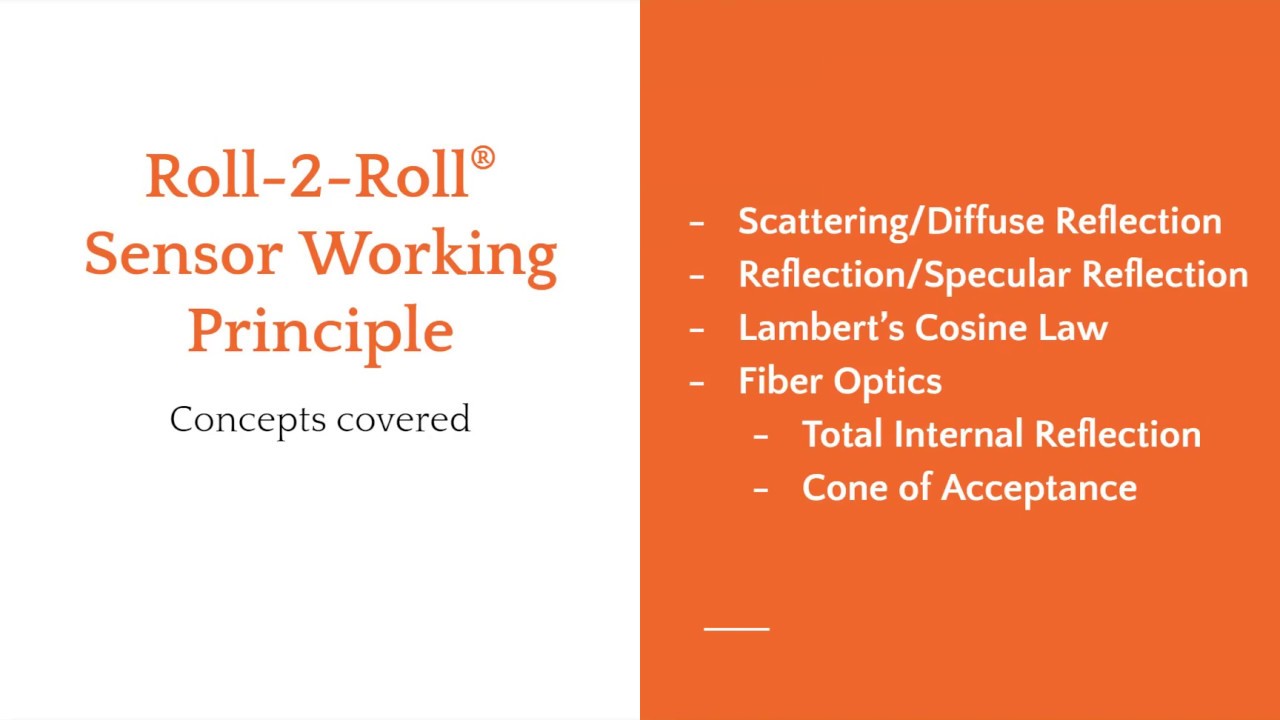
The webinar will cover sensing and measurement technology that are used in Roll-2-Roll® Sensors.
The presentation will cover:
- the fundamental working principle of the patented fiber optic technology
- how it differs from the conventional sensors
- benefits of the fiber optic technology
- application of the fiber optic sensor technology for sensing and measurement applications such as edge detection, width measurement, registration mark detection, flag detection, void/hole detection, tear detection, etc.
Transcript
Show full transcript (9115 words)
talk a little bit about the different sensors that are available in the market and how our sensor is different and then we'll also talk about what are the applications for our sensor in this industry so to start off with just to give you an idea on some of the topics that we cover most often when we are looking at edge sensing a lot of the sensors that we use are going to be optical sensors but the some of the concepts that we have covered here doesn't really only apply to just optical sensors it can also be sound or any kind of a wave so some of the basic concepts that we are going to be looking at and is what is reflection what is absorption what is transmission and how the conventional sensors use these concepts to determine the web position and while we are going through this presentation you will also have some polls that will be administered you should be able to see the pulse and if you can answer those that would be really helpful for us so that it cannot guide us through this process I also have Carlo and Pedro Manning the polls in the Q&A section so any time there is some question or things like that feel free to put your questions there and they will be able to address that so in terms of concepts let's take a look at these so reflection so we have a light source that is being incident on an object and what can that light do well basically there are three main things that can happen to the light source the light can be transmitted through the object most of the time if the material is optically transparent or translucent there is some amount of the light or radiation for that matter which actually goes through the object some amount of light would be absorbed when the light is absorbed this is mainly because the photon the photons interact with the object and they would get absorbed into the object and this may be dissipated in the form of heat or even fluorescence then some amount of light would be reflected and basically the reflection is whatever the light that is incident on the object that is returned back to the same medium that is called as reflection here the the object is usually a different medium it could be a solid it could be a liquid whatever it may be and then where this incident light is that's another different medium it could be air or it could be vacuum or any of those so the reflection is basically returning the light back to the original medium transmission is basically passage of light through the medium an absorption is actually absorption of the light into the medium the reflection and transmission typically do not change the light frequency when we say frequency it's more like color so if you have a red light and the light goes through an object or it gets reflected the color typically does not change there are special cases when it will change but usually it doesn't change and then absorption is basically the light is absorbed into the material and sometimes the absorbed light will actually change the state of the material and it can cause further emissions and those are called fluorescence these are something that you would see with ultraviolet light source and when they fall on a certain type of object the object actually absorbs the light in the ultraviolet frequency range then that absorbed material gets to an excited state and then that emits a light in a different frequency usually called fluorescence so most sensors use or most optical sensors use these these three phenomena to kind of figure out how to detect the web so actually how it happens is is based on the amount of light that is transmitted or reflected or absorbed and there is a term for those and that's called reflectance which is the ratio of the light reflected to the incident light transmittance is the ratio of the transmitted to the incident radiation and an absorption is the ratio of the light absorbed to the incident radiation the reflection reflectance and transmittance or usually used to define optical properties of material so if a material is optically transparent that means that it transmits a lot of light through the object or it also reflects a little bit of light through the object that's what it means to be an optically transparent material while on the other hand if a material is opaque that means that the the object is going to reflect most of the light and it's going to transmit very little if not none of the light that is falling on the object so most often I mean almost all cases the color that we perceive on an object is because of selective absorption so if you see an object to be green that means that that object absorbs all bay links of light except green which is reflected out and that's why we are able to see the object at screen now all of these depend upon the wavelength of light certain objects behave differently based on the wavelength of light a great example is x-ray which is also a radiation x-ray may pass through opaque objects which are opaque the visible spectrum but are actually not opaque in the x-rays wavelength like wise and transparent object may not really be transparent in a different wavelength such as an infrared that's one of the reasons why our infrared sensor can even work with transparent webs transparent materials so these are the basic concepts in terms of how light interact with an object or what happens when light falls on an object most sensors use this principle so this is one of the most common sensor used in edge detection and it's called an opposing beam sensor essentially what it is is that the sensor has got two sides to it a transmitter and a receiver the transmitter sends some kind of a signal could be light sound or it could even be air just for our case we will just limit it to light and sound and then the receiver and in in the end and that signal is being transmitted or absorbed by the material and then the remaining signal falls on the receiver so this this technology or this sensing principle works well when the material absorbs the light or the signal like what we have shown here so none of the light sources that is falling on this web material is actually transmitted so you can basically infer the position by looking at how much light that I get or let's say if the receiver gets 50% of the light then it means that the web is at 50% of the viewing area that's where it is it's really simple sensor technology and usually it's also referred with different names it's called fork-style or a u-shape sensor or a blocking and unblocking sensor technology now like I said most often this sensor technology works but there are some cases when it does and work well and as you can imagine whenever the web material starts to have high transmittance then the signal is going to leak through it and the sensor will provide a different output now if you compare these two web materials they are exactly at the same location but because of the properties of the material you're going to have different transmittance and that really affects the sensor output and that's the main shortcoming of these types of material now how does it how does it involve how does it relate to our cases basically if the material is porous that means that actually there is no solid there to prevent that light to go through or sound to go through then that's a problem obviously if it is opaque sorry um the opacity is lower then that's a problem and this means that the sensor requires calibration and since this is an inferred measurement let's say you are you get 50 percent signal that means you assume you're at 50 percent location this is not an absolute measurement so you really don't know unless you calibrate it what the actual position is and it's not accurate that's the main thing with it there's also ambiguity in spatial ambiguity with this kind of a sensor sensor technology I'll talk a little bit about it in the next slide about what what I mean by that now there are other types of sensors that try to avoid the issue with transmittance and the way they do it is what is called as a retro-reflective sensors you have a transmitter and receiver on the same side there is no receiver on the opposite side the light is now incident on the reflector the reflector is a special material so it reflects the light back to the receiver and when we do that the portion of the light that goes through the material is attenuated here and then it falls on the reflector and now all the light that is falling on the reflector is reflected back to the receiver and the light that actually goes through the material it's actually attenuated twice as much as if you had a transmitter and receiver on these two sides so the main advantage with this kind of a system is that you are essentially doubling the or essentially reducing the transmittance by half by making your light go back and forth twice through the same material so if you have like an clear material you might be able to do this where you can increase the sensitivity of your system and then you can you can use the retro-reflective technique to detect the web the other advantage of this kind of system is that the transmitter and the receiver are on the same side and then the reflector could be much farther away from the transmitter and receiver so that essentially make this like a one-sided system and this has other advantages in terms of like you don't have to have a constrainted fork where where the the throat of the fork you don't have to worry about that if the web plane changes and things like that and it's usually compact most often these retro-reflective sensors are used for in presence/absence detection and there are some sensors that are used for nonwoven applications and they actually use a special mirror kind of a thing so that it can go through low basis weight nonwoven a couple of times before we can get the signal back so that's a retro-reflective sensor now the main thing with the conventional ed sensors is that it's a simple sensor technology when you have low transmittance but as soon as you start looking at materials that have special properties and things like that these sensors have issues especially with engineered materials like nonwovens and and some really clear material the material properties affects transmissions and absorption and hence the accuracy of the sensor is lost now I talked about spatial ambiguity let's say the receiver is a single element maybe it's an ultrasonic receiver with just a one element or maybe a photocell if that's the case then if you have a small object like this which is much smaller compared to the viewing area of the sensor and if the object is anywhere within this range there's no way the sensor can tell you what the position is it can tell how much signal attackin teammates but it cannot tell what the position is and that's what is called as spatial ambiguity with these kind of sensors these are especially important when we look at threads and things like that with our sensor that's not an issue the other thing with these sensors is it cannot detect surface characteristics so it the the whole web either blocks or transmits and since there is no way we can figure out if there's a feature on the web or a structure on the web there's no way this sensor technology can detect what it is the other issues that these technologies have is that image saturation issues basically what it means is that most often the receiver is saturated by light and then you have a let's say you have a small object that is there that photo cell or the pixal for that matter might be saturated and it would have some kind of a saturation issue with that so when you are trying to detect a small object or a feature there is a problem then finally the sensor resolution and depends upon the range of the sensor so if it is a single receiver element and you want to make this sensor 2 inches wide then the resolution that it can detect is going to be the same as set a solution of the A to D converter or whatever it may be so irrespective of the width of the sensor or the range of the sensor the resolution would change and that's an issue now instead of using transmittance can we use reflection of the web to measure the web position and the answer is yes we can and that's what we do with our sensor and in order to look at that let's take a look at a few concepts about basically reflection or scattering or diffuse reflection and a couple of different things that we use in our sensor technology and then our sensor is based on optical fibers and optical fiber properties or fiber optics so we'll look at a couple of concept there as well so again we have an incident light that is falling on an object and we talked about reflection transmittance and absorption actually this reflection was just like a simpler way of representation of the light the light source is going to be it's not it's not going to be like a ray it's going to be a wave in fact so what really happens is that the light falling on the object it's actually scattering everywhere and the light goes off everywhere and then there's a portion of the light that is reflected now this phenomenon where it scatters off everywhere it's called scattering or the actual technical term for that is diffuse reflection and then this ray right here which is following the typical ray optics is called specular reflection so you have specular reflection and then diffuse reflection specular reflection is usually seen in smooth surfaces polished surfaces mirrors and things like that where the light will bounce at the same angle as the incident angle and scattering and diffuse reflection is going to be seen in most materials that are not polished or smooth so almost every material that we deal with is doing the few scattering and the reason why we are able to see a color in an object on an object is because of scattering or diffuse scattering so the the reason why this is scattering in all these direction is because the surface has got irregularities on it and those irregularities have different angles and when the incident light falls on that microscopic irregularity its reflecting it back at the same angle with respect to that small microscopic surface but because we have a whole bunch of those the light is scattered in all the different direction just like scattering and reflection there's also diffuse reflection and regular sorry diffuse transmittance and regular transmittance when the light goes to it and that is not of importance for us the main thing for us is this reflection now there is another thing that is important when you're installing the sensor we talk about the angle this is mainly saying that if you have a light source that is coming at a certain angle then the maximum amount of scattering is going to happen close to the normal when we do our sensor installation there are some sense of installation recommendation that we provide that's that's mainly based on this so if you have if you want to view the object from this angle then as you can see here there's going to be a lot less light than if you view from here and likewise the light source as well this is called as Lambert's cosine law and basically you want to keep that angle as close to normal as possible so that we can get the maximum so if we use scattering how do we make a sensor that can do this again and just like a retroreflector one we have a light source and a transmitter and a receiver the the light goes through here falls on the web if the web material was perfectly reflective then all the light that goes here will exactly reflect back at the same angle which is normal to the surface and then we will have a really good image and we'll be happy but that's not what happens the light when it falls on the material it's just chaotic it's going to reflect everywhere or scatter everywhere and we're going to have the same issue like an opposing beam sensor technology where we have scattering and which will be dependent upon the material and how far the material is from the web and and the spatial ambiguity and accuracy and things like that so how do we fix that basically we add a filter to it and that's our proprietary technology so we add a filter that filters the light and the way it works is that when the light falls on the web it scatters everywhere but the filter is going to selectively couple the light coming in falling on it at a certain angle and now the light goes back now we know where the web is if this receiver is a pixel array or some kind of imaging element then we would know all these elements would receive light and all these elements would be dark and if we do an edge detection algorithm we can figure out where the web is that's the underlying principle of that and how do we create a filter that's based on fiber optics so optical fibers have special properties in that they allow the light to go in only at a certain angle like the cone that is shown here so if you have the web if you have the light falling on the fiber at an angle that is steeper than the scone it will not go in so it's basically gonna filter out all the light and allow light only coming at a certain angle to go in and that's how we do it so that's the basic fiber optic technology that we have so how does it work just to give you an illustration there's a light source that is illuminating the web and the light scatters everywhere but then the light that is directly underneath the fiber is the one that gets coupled into the fiber all the other light that is coming at an angle doesn't get coupled into the fiber and that's how we we we didn't mind what the web position is again this is a true and absolute web position measurement because the fiber has to align with the web edge for it to be able to pick up the light and just just an illustration of how we do it now essentially the light source angle can be at any angle as we saw before but we want to keep the scattering to the maximum so we're going to keep that light source as close to the receiver as possible to take advantage of the Lambert's in my inverse Lambert's cosine law so we have a light source it could be laser LED or anything like that it falls on the surface it scatters everywhere this is a side view of the optics and this is the front view of the same thing so the light falls onto the fiber optics and then the photo diode or a pixel which is position behind the fiber optics is going to pick up that light that's how we determine where the position of the web is now I mentioned that we have a pixel or a photodiode behind the fiber basically what we do is we capture the image and then we do real-time image processing to determine the edge of the material this is an important part of our sensor technology technology not just that not just the the way the sensor works but also how do we process the image is important the algorithm adapts to a few other things that we will talk about later in terms of how do you adjust for intensity changes how do you adjust for focal lengths and stuff like that so essentially a component the components of our sensor or four main components one is the light source we typically use LED light source it could be visible or a broad light spectrum or infrared or even UV light and then there is an optics that is filtering the light that is coming at all different angles that is our patented fiber-optic technology and then there is an imaging element behind that optics which is usually a linear pixel array and it's anywhere from 768 pixels to about 14,000 pixels and these pixels are arranged really close to each other at 63 and 1/2 micron or about five thousandth of an inch and then finally the image processing algorithm which actually does the edge detection so let's see how that works now we have a different samples of web that we can present to our sensor as you can see the some of them are opaque some of them are completely optically transferring some of them are porous they have voids in them and irrespective of any of those our sensor can provide a really reliable and highly accurate web position measurement I think this is a published article that you can find in converting but the but dearest the accuracy was about ninety over ninety nine point three percent with any of those materials and we didn't do any calibration that's the main thing with our sensor technology now just to give you an idea we saw the different images as you can see the light that is falling on to the imaging element is going to have varying intensity depending upon the material that we have so if we have a light scale where blue is completely dark and red is completely light or white and then there's a spectrum going through that you can see that all of these edges are are not as sharp as what we have illustrated in the working principle in spite of that this is the output of the edge detection algorithm they did the edge detection algorithm goes in and says oh this is the edge for this black nonwoven web this is the edge for the transparent web this is the edge for the load GSM nonwoven and this is the edge for the perla now we don't really just have to look at the edge of the material we can actually look at features or patterns on the material as long as the pattern is parallel to the machine direction then we can do the same thing so here for example we had some die cut edge of a label so we wanted to detect the edge right here edge right here edge right here on the edge right here so and again we can do that with our sensor technology and it provides a pretty good measurement so in terms of the the image processing feature that we have the key things there are we do what we call as dynamic threshold that means that every single image that we take every sample we do run our edge detection algorithm and it automatically to the lighting it adjust automatically to the focus it adjust automatically to the material and figure out figures out where the edges and just to give you an example again this is an image from our four 440 sensor with infrared light source black just means that there is no light coming back and then white means that it's coming back now this is the raw image on the top we presented a burlap web right there and if we just say I don't care about what's in between I just need the edge of the web tell me the left edge in the right edge then we can give an output which is going to be like this so the edge detection algorithm goes in and picks up the left edge in the right edge it doesn't care about anything in the middle now what happens if we have a lower brightness it's the same web same location we have a lower brightness as you can see these two images are pretty different with low intensity again no problem no setup no calibration the edge detection algorithm will automatically adapt to that and pick that and what happens if you have a really bad image where it's not only low brightness but it's also further away from our sensor no problem we can still do that I'm not sure if you can see this on your screen but this is really faint gradient here but we can still do that now the other things that we can also do is background suppression what it means is that we have special way of adjusting automatically so that if there is a background in the image which is at a certain distance from the web we can still adjust for it and that's what is shown here so here this is an example of a clear web with an infrared light source on it and there's some background there and we were able to automatically adjust it and provide the edge positions there now when we do this we also have additional information that we provide from our sensor we can provide an edge quality feedback that means we can say how good the edges we call it as a quality factor we can provide it for each edge that we measure and then we can also provide a flutter feedback for each edge again the quality factor is based on instantaneous measurement while a flutter is based on temporal it's a function of time so but anyway we can provide that flutter information as well now other things that we could do is one of the things with the with the conventional sensor is that it has issues with spatial ambiguity this is going to be common when you have like really small feature our sensor obviously does not have that issue and just to give you an example here is an image of a single thread this thread is like two or three millimeters wide and we can pick up a single thread like that with our sensor and and what if you have multiple threads and let's say you are running some kind of an operation where you have to guide or bring in multiple threads into your process and you want to be able to count the threads well if you present something like that we can still do that as you can see in the raw image there are some threads which are kind of out of focus or farther away some really in focus and a it doesn't matter our algorithm is able to go in and pick that up and tell you process the image and tell you the edges now when we do edge detection like this we can essentially provide you with every single edge position where they are within the sensor or most often because it's a lot of data that is going through we can actually provide you some statistics of this whole measurement so we can say well what is the average width of these threads that we picked up and what is the average gap between them so on and so forth what is the minimum what is the maximum so we can compress that in the data and provide some statistics that you can use to kind of figure it out like for example here these there are actually two threads here these two threads are really close to each other and when they are close to each other then this kind of the thread kind of became like double so if you're able to monitor that then we can figure that out and tell you that hey something is coming too close to each other or overlapping and things like that again we can with low brightness it's not an issue we can still pick up that edge right there now I talked about edges but it doesn't have to be an edge here this is basically a printed pattern that we are looking at different colors different colors are going to reflect light at different intensity again an infrared light source is illuminating a colored web here and you can see that it can pick up these contrasts so when we do contrast application what we can do is we can not only tell you the location of the edge where the the contrast is different but we can also tell you the intensity of that so that's how we can teach our sensor to follow a particular color or a line or something like that now we we have done sub-pixel edge detection so that means that we can go to one twenty thousandth of an inch or sixteen micron in terms of the resolution our standard pixels or the standard imaging element has a resolution of 63 and a half micron and we can do 1/4 or 1/8 of that to get sub pixel resolution so those are the features of our sensor in terms of the sensing principle how we do image processing and how the raw image looks like and how the process image looks like and things like that now let me just quickly go over some of the applications that we have with our sensor first and foremost we do edge detection that's one of the basic things if we want to do edge guiding then we need to do edge detection the other things that we do are with the measurement contrast position measurement contrast position detection and contrast our pattern it's pretty much the same kind of thing then we do thread counting and I showed a little bit about that we can also detect a mark on the web we can also detect a flag on the web we can also detect what we call as a coverage or the for lack of a better term optical density of the web and then finally the stack measurement so let's go over some of these really quick edge detection since our sensor is one-sided you can have a web that is coming from left to right like in this case or from right to left it doesn't matter all we just need to know is what direction we need to scan for the edge if if if the sent if if the sensor if we're looking at the right edge of the web which is this one then we're going to scan from right to left if we're looking at the left of the left edge of the web then wicker we're going to scan for from left to right now what we are going to look for is in an edge detection is the first transition from a dark to any kind of a light and that's how we would do the edge detection now I've got a short video here and hopefully it can play properly and these videos are on our website but the idea here is to show that we can put any web material and this is showing the position of the web we can pretty much put any web material and without any setup or calibration we can get the true measurement or the absolute measurement of the web this is like a highly porous non woven that we used the other extreme example is like a really porous mesh kind of a web even if we have a web like that when we do edge detection we can accurately get the leftmost edge of the web or whatever the edge that we want we can get that accurately so that's what this video is showing so some application example where we provide the most value to our customers is that whenever you are doing edge detection with frequent material change over like if you are going to detect a paper web all day every day yeah we can do that too but that's not where our value is this would be like nonwovens or any any kind of engineered material that you are changing quite frequently where you don't know the opacity and the porosity and stuff like that our sensors work great in those application or if we do width changes like I mentioned we can go from about 48 millimeters up to about 900 millimeters in sensing range without losing any resolution that means that you can run different webs without different width webs without needing to move the sensor that's another place where we have a pretty good advantage challenging materials of course that's that's our specialty is if you have something that's really complex then we can do that and then challenging environments specifically vacuum that's a place where we have got a lot of success especially when we are trying to detect clear film inside a vacuum environment now the advantages are that we don't need any setup for calibration and it's pretty cost effective in terms of connectivity we have industrial Ethernet this could be Ethernet IP or pro finet will also have EtherCAT and other things that we could do as well and some unique applications like I said clear web inside a vacuum this is pretty unique just because of the fact that most current technologies for detecting clear film or ultrasonic and ultrasonic doesn't work inside vacuum so that's pretty unique for us and then again metals that's another place where metals inside vacuum is another one since our sensor is single sided we have successfully used our sensor in abrasive environments where a web flutter or something like that they typically knock off a fork style sensor and we can position our sensor farther away from the web because our algorithm can adapt to that and we were able to do that with an abrasive web environment and then you can also do width measurement on low basis weight non-roman this is usually a problem with current sensors because they are not they're really really you need to do a lot of filtering with that or it could be some kind of an edge that is kind of ragged and we can also do like detecting ridges on a web so this could be some kind of an extruded plastic or something that has got a three-dimensional structure on it and you want to follow or see that some of those things we could do just to give you an idea the the the the sensor itself has just the optics the imaging element and the light source it doesn't have the processing so you need a sensor and a controller to do that it shows and then different output options at the hint we can have for edge sensing usually we can to analog output if you want to connect it to some legacy systems that use analog sensors otherwise we prefer to provide Ethernet IP or Pro finet for that matter option for H as output now the other common application that we do is width measurement now width measurement with two sensors or one sensor obviously this sensor is too small and if the WebWork changes then you're going to have an issue that's where we have our value where we can provide a wider sensor and what you don't have to have the sensors mounted on some kind of a linear positioners mechanical positioners these are again cost prohibitive and have inaccuracies and all those kind of things so you can avoid all of those by using a wider sensor and when the web which changes the sensor doesn't move so it can still detect the web width now if the sensor is wide enough then we can measure both edges of the web with a single sensor again this having a single sensor that does all of those then you don't have to worry about alignment the distance between the two sensors and all those kind of things this is the reason why we are moving to wider and wider sensors every year and we are about to release our 900 millimeter wide sensor this summer anyway if you have a wide sensor then you can see both edges of the web and without having any issues now most of the time these are applications in shrink sleeve so this is a one of the video from our distributor in Mexico but as you can see one of the things apart from providing accuracy and resolution in width measurement it's a safety thing so you don't really have to have somebody go in and measure a web while it's moving to make sure that it's at the site the correct width you can have an automatic automated system that can do that so here we're showing our for 40 mm sensor that is looking at both edges of the web in a shrink sleeve or a folding web application now we can do the same thing for others and some of the common applications are if you want to look at a blown film and you want to measure the width of the tube lay-flat width of the tube of the blown film a lots of different applications again this is one of our videos from our distributor in Mexico so like I said width measurement where we see it where where it's used like any time you are slitting and let's say you're slitting something that is uh that that requires you to measure the width to verify that we can use that folding the web again it could be in swing sleeve it could be other folding web applications and sometimes you can also look at the trim width just to make sure that you don't run too far out to the trim I mentioned about blown film and then extrusion like you can use it for monitoring extruded webs like resealable zippers or things like that that's where we we have our sensors installed and then you can also look at like width of tire rubber and in that case we can we actually have it in a back roller and we can do that as long as there is a contrast difference between the edge of the web and the background it doesn't have to be a clear background or a free space it can be anything then we can do that again different output options we typically prefer ethernet/ip or or or some kind of a industrial Ethernet apart from looking at the edge of the web we can look at contrasting features so basically we're taking advantage of the fact that different colors are gonna scatter light at different intensity in this case we are showing a white light a white light is typically used when we want to bring out visible contrast it doesn't have to be white light it can be UV so that you can have a fluorescence or can be IR as long as you are able to see the contrast difference and the light source is mainly used to extenuate the contrasting feature so either depending upon the frequency of the light source or sometimes the angle as well so some applications would be like if you want to look at a coated edge and you want to see how far the coating is to the edge lithium ion battery or any kind of coating that you can do even just regular paper coating you can do that and in paper coating case you would probably use a UV light so that most often that coating on the paper has some UV fluorescence to it or it can also be like looking at maybe tabs or things like that on a conveyor we can do that too and then not only are we detecting the contrast we can also provide the position of the contrast so you can use it for control purposes as well I've got a couple of videos here but I'm gonna skip that and you might be able to see that in our in our website I think I talked about this quickly so anytime you are guiding in a slitter where you want to slit to a printed line that's an application that could be in a doctor machine as well if you want to follow a UV line then cording width measurement and then some other simple inspection applications here's a quick video where we have a application where our sensor is installed to look at this bag which has an extrusion which is clear and then the bag itself is opaque the the idea is to measure the width of the green part of it and disregard the clear part of it and we are able to do that in this case it was installed with the free space at the back but it doesn't have to be free space you can actually install it with the back roller on it here we have an example of our sensor used to detect the width of the web where the web is supported on a roller and there is a contrast difference between the roller and the web and it's it's not clear here but we use a white light source in this one and we're actually looking for the edge of the clear film and not the edge of the printing and with the light source and we can do that and this is made this one is for width measurement for detecting wrinkles so whenever you have a wrinkle on the web that's going to reduce the width wrinkle or a fold over that's going to reduce the width and we can use our sensors to measure that there or like I said in the other application would be like if you have a tire width measurement application you have two sensors that are mounted and it can look at that the tire and in this case they they were kind of a little bit creative about it and they put a background that is white and then the tire by itself is black and the reason why it's black it's because it's absorbing all the light so in order for us to detect this we need to have a white background and then and then a clear a black foreground which is our web then we were able to detect that so that's our common width measurement application I briefly went over this this is another thing that we do is like string thread fiber monitoring so it could be like things that you use in textile and waist bands or or carbon fiber applications where you want to accurately measure multiple webs and in this case we would be able to do measure and count and provide statistics on what is the minimum what is the maximum what is the gap so on and so forth and we can also provide additional information like that again I'm going to skip this video for the sake of time and like I mentioned it's elastic thread or textile or carbon fiber any of those the main advantage here is that we're replacing some camera based system with our sensor and then for thread detection we are replacing mechanical pulleys and and pressure-sensitive sensors and we can actually stitch together multiple sensors over Ethernet our 440 sensors we have installed it up to 2 meters wide where we have connected four of them together which is possible the next application is marked detection so again we're trying to look for a contrasting mark which is a which is going to have different scattering and we can do that the main difference here is that the mark is along the machine direction sorry if it's it goes faster it's not a consistent mark that comes and as in a printed pattern or things like that but it doesn't matter we can still detect that and it can be a visible mark or UV fluorescent mark any of those and it's not only that we can detect the mark we can actually track the mark in terms of position that means that we're not just saying giving you an on-off signal we can also provide an analog output that tells you where the mark is with respect to the sensor the main advantage there is that we have a wider sensor so if the web moves we can still track the mark we can also detect flags on the web so let's say you have a web and it's got multiple flags you are going into a slitter now you're going to remove all the flags and then you're going to another process and then you want to put the flag back in how do you do that then you can detect a flag and then have some kind of a thing that would put the flag back in again after you complete it this is a little bit even though that you can see that the flags are different colors different weights different sizes the web may be different we can do all of those without any need for teaching I can adapt to different flags and different webs and it is not affected by web wander or web moving back and forth then we can also provide a quality signal in that case we can also do tear detection or coverage this is just an illustration or example of let's say there is a tear in the web and then the web actually splits we can detect that this is an exaggeration but if the tear is small we can still do that now if the web separates and moves the left and the right edge moves then that's an easier one to detect but if the web's doesn't move and you just need to see a wide or a hole again we can detect that again all of this is based on how much light we are getting when there's nothing when there's a wide or a hole or a tear if this region is going to be dark and this region is going to be white and then we can basically integrate how many pixels that are white and how many pixels that are black and that gives us the coverage and by monitoring the coverage you can detect if there's a hole or tear or anything like that one other application that we do is we could do is also product linked measurement basically what we do here is we just rotate the sensor 90 degrees and when the product is moving on a conveyor it can track the edge and it can basically say how wide the product is the main thing with this is that the sensor doesn't have to be longer than the product and then the product can run at different speeds and you don't need an external synchronization signal to be able to pick up that so that's a quick summary of some of the applications that we have just to summarize the advantage of our sensor technology is that it's accurate it's got it provides an absolute measurement it's very simple to use when you compare to like a traditional fork style sensor or maybe even a camera based sensor the resolution is not affected by range in a camera based sensor if you want to have a bigger range you have to install the camera at a certain working distance and when you do that you lose the resolution we don't have to worry about that in our case and it's a one-sided sensor so like in a camera based system you would have to install the camera or the light source the gantry all of those here it's all enclosed fully contained and because the sensor is going to be close to the web we can have a pretty good lighting control and then it's also compact in terms of installation and we have done a lot of customizations for our sensor and these would include processing speeds of up to about thousand Hertz and then we can track multiple edges there's really no limit to the number of edges we can track it's just that the information how do we send it and then sub-pixel approximations I mention that before two to eight X we can do that and we can also control the edge detection through Ethernet industrial Ethernet and then light source customization based on the application and then essentially the customisation is bringing us more and more close to a line scan camera based system but at a much lower cost and the difference is that we actually do the customization and we don't just sell the the the sensor and the imaging we actually do the processing as well unlike other line scan based systems so that's essentially my presentation and here is the contact info if you have any questions or any application or any need for sensors please let us know and I do have some questions in the Q&A section so let me just quickly go over some of those and see can your sensor technology by the way please use the Q&A section to ask any questions if you have can your sensor technology also measure a webs thickness across a sheet of material while in motion if if that's true what when a number of threads are being read in addition to placement of threads in their respective spacing can you also read the thickness yeah the the thickness we can't do that right now not in the current state we can look at what we are doing is we are taking a projection of the image a actually it's a 1d projection of the image and since thickness is going to be in the other dimension there's not a way for us to detect both at the same time so we cannot do that what types of industrial Ethernet do you utilize yeah we can use Ethernet IP Pro finet and we can also do either cat and then other other things other protocols okay what is the minimum distance between slit webs that would allow the sensor to measure the slit width of multiple webs parallel to each other okay that's a great question so if the if the if the web can scatter a lot of light then I would say we could do probably one or two millimeters and we can easily have one or two millimeter gap between the web's and be able to detect the slip web width that's something that we could do and then what is the working distance so the working distance for the sensor is really depend upon the the amount of light that is being scattered our normal working distance that we specify is about 10 millimeters it's pretty close to the web and by putting the sensor so close to the web we have a pretty good control of the lighting and that way we can we can have a pretty good image now there are applications where we have installed it more than two inches or maybe even three inches from the web surface so it really depends upon the amount of scattering but for anything that we want to do like width measurement and things like that we would we would want that distance to be within our specification so that we can provide a pretty accurate measurement and then the other thing that I forgot to mention about the width measurement is that you can measure the width in a free span or a free space but as we showed if you measure the web width on a roller if you can get the contrast difference and you can measure on a roller then that provides the most accurate measurement because you don't have to worry about focusing and things like that even though our algorithm can compensate for it but it's it's better if we can have the web stabilized let's see um gee so that's probably all the questions that I have I hope you have a had a chance to fill out our polls that be organized and if you haven't done that you can use the tab on the left to be able to see the polls and that would be really helpful for us so that we have a better understanding about what your needs are and how we can help again my name is are Arvind Seshadri and we really appreciate your time today to join us during our webinar if you go onto our website you should you should be able to see most of the stuff that I talked about today in terms of videos they should be on our website and then if you have an application and you would like to talk to us please give us a call or contact one of our distributors or sales reps in your respective region and they would be able to help you with any of your needs if there are no other questions then I will conclude this webinar once again thank you so much for your time
Check out this video to see how easy it is to simply plug in and use our web guiding system without any type of setup or calibration.
Transcript
Show full transcript (324 words)
this is February Lascaux of rolls roll technologies in our series of showing you about that some features of our webcast and today we want to show you how simple it is to install the cat just to put it in operation right now we're showing you a 12 inch web guide which if we have installed in our testbench and it's a really simple it's four points where we actually fix it to the Machine and what happened the same one you're in your facility now in this case we already thread the machine the web guide with some the two and we have position the sensor where we would like to show a habit position as you can see it's a very simple sensor so it only has one face and so it's a taken away from the u-shape remember our sensors can actually detect any kind of material without having to be adjusted and now as you can see on the back side of our guide you can see that there are only two positions that we're going to plug into the first one is we plug in the sensor we have actually identified the sensor position sensor 1 and then we connect our power supply just fix it to it and if we look at the other side that as you can see the web guide reacted because it's already in operation let's go to the other side to the front and you can see our panel right here see and now it's indicating that it has located the sensor and it's ready to go and now I'm going to put this machine to work as you can see this is a very simple installation what we did let's just plug into two cables and when the key is operational come with us to Roloff acknowledges and this melts you understand more or less and how I guess didn't plug in place
The compact web guiding system from Roll-2-Roll Technologies is powered by the ARIS web position sensor. The revolutionary sensor technology enables the web guide to work with any material without the need for setup or calibration.
Transcript
Show full transcript (106 words)
RS is an intelligent guiding system that uses a revolutionary fiber optic sensing technology to accurately measure web position in this video we use a two guide test machine to show how RS handles change in materials one machine creates the disturbance while one corrects this disturbance air patented agnostic material sensor allows RS to adapt seamlessly to any material including paper transparent plastic non-woven and textile without having to manually readjust the machine watch the red laser to see the difference between the controller when it is on versus when it's off you can find a link to more information in our description below e
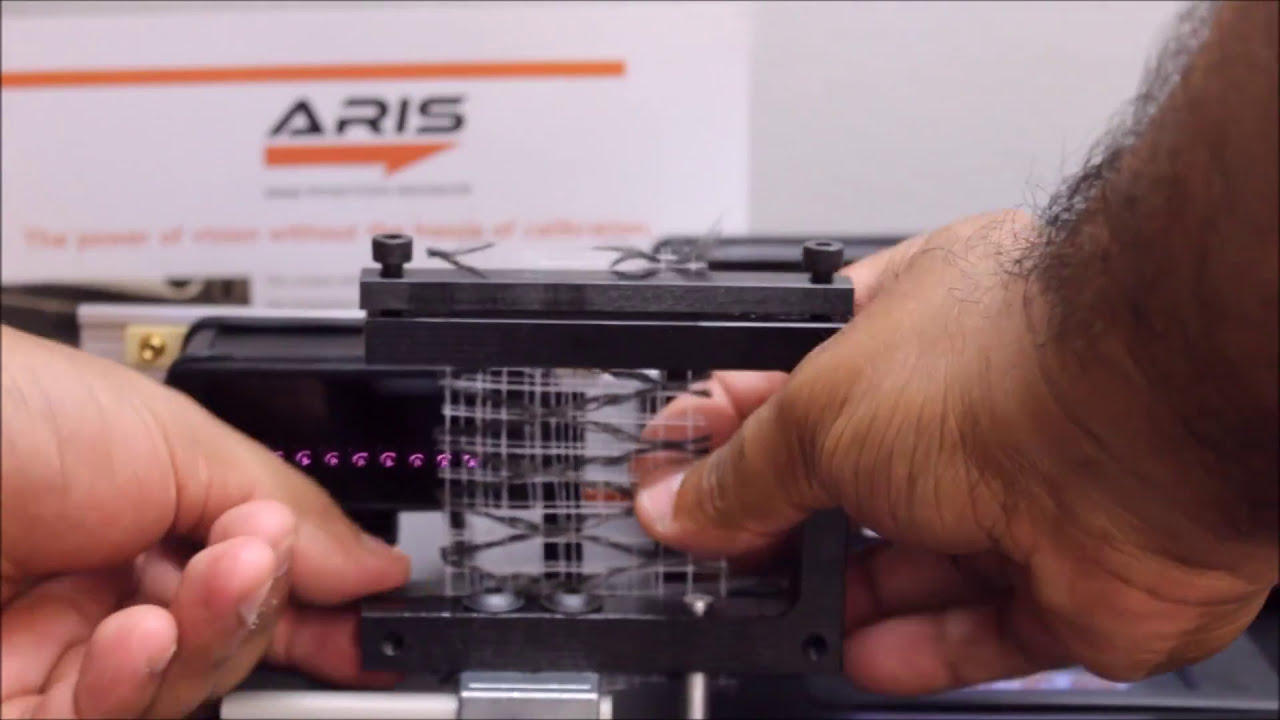
This demo video shows the capabilities of the Roll-2-Roll Technologies web position sensor to work with different web materials without the need for any setup or calibration.

ARIS Web Position Sensor can automatically detect any material without the need for calibration. This video shows the sensor capabilities, such as repeatability and linearity, with four materials.
Transcript
Show full transcript (327 words)
Our web guiding system, ARIS, features the latest in web guiding technology. It adapts to any material, requires no calibration, and is very simple to set-up. Our technology allows the sensor to be material agnostic, which means ARIS accurately detects the web edge position of any materials used without the need for manual adjustments. ARIS’ sensor technology works differently than any other currently available sensor in the market.
It uses the reflection of infrared light to take a picture of the edge of the material. This picture is then processed using digital signal processing algorithms to accurately sense the true position of the material irrespective of its physical properties. Other sensors use a blocking technique where the web is used to block light, sound or air. Since the amount of blocking depends on the material properties, the current sensor technology is less accurate with porous or transparent material.
Ultimately the web guiding performance is affected by the inaccurate sensor measurement. In this experiment, we will show you four materials, black nonwoven material, white nonwoven material, transparent film, and burlap. Our experimental setup is equipped with a high precision motor stage which moves the web material, which is 10 mm away from the sensor, back and forth. This setup is used to quantify the sensor performance.
With each material we repeat the exercise four times. The green line represents linear regression, which quantifies the precision and accuracy of the sensor. The blue represents the actual position of the web as measured by the sensor. Follow the results as the experiment progresses.
The video shows the web as it moves away from the center and the sensor’s ability to follow the position. The experiential results clearly show that the precision and accuracy of the sensor is unaffected by the material properties. Our sensor has linearity of plus or minus 1 percent without any calibration. Find out more information about ARIS and our sensors, using the link in our description below.
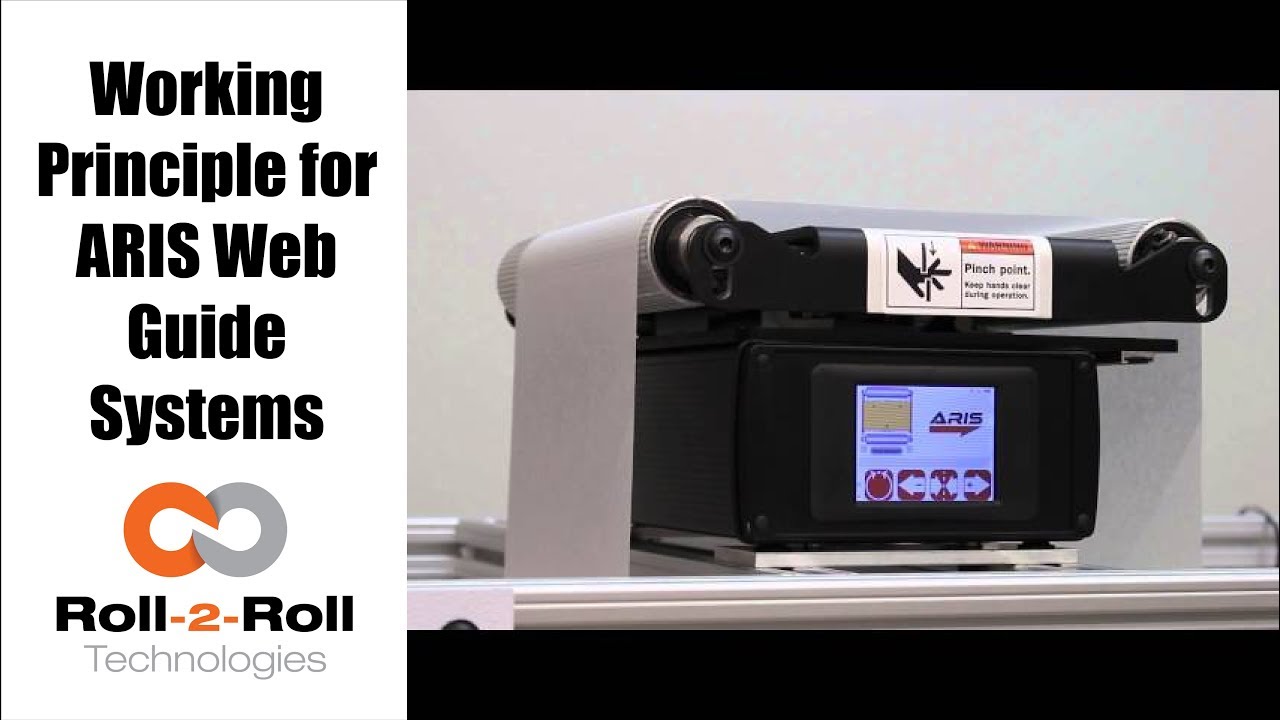
Roll-2-Roll Technologies shows the latest in web guiding equipment. Watch this video for an overview of our web guiding system and sensor's capabilities.
Transcript
Show full transcript (448 words)
our web guidance system RS features the latest in web garden technology in adapts to any material requires no calibration and it is very simple to setup our technology allows the sensor to be material agnostic this means ours accurately detects the web edge position of any materials used without the need for manual adjustments our SS sensor technology works differently than any other currently available sensor in the market it uses the reflection of infrared light to take a picture of the edge of the material this pictures and processed using digital signal processing algorithms to accurately sense the true position of the material irrespective of its physical properties other sensors use a blocking technique where the web is used the block light sounder air since the amount of blocking depends on the material properties the current sensing technology is less accurate with porous or transparent materials ultimately the web Guardian performance is affected by the inaccurate sensor measurement in addition to sensing capabilities ours communicates intelligently with the sensor watch the screen as we show how the sensor communicates with ours a green web detected indicator will verify that the edge is detected by the sensor if the sensor is not connected properly or if the edges outside the window the indicator will not really about the icons you will see a material edge position indicator when the material is in the correct position you will see one red bar and one green bar the green bar indicates the metal portion of the sensor and ideally the web should be in the green bar region if it's incorrectly positioned you will either see no green bar or you will see red bars on both sides of the green if the sensor is not within the measurable distance then the material edge position indicator will be grave the sensor position indicator on either side of the web guide picture shows the position of the sensor with respect to the guide if the sensor indicator does not register the sensor on a correct side of the web or the green bars is white on the wrong side of the web press the find sensor to automatically register at the sensor position indicator to make it simple and foolproof the intelligence and ours can work irrespective of the sensor position as long as the web is inside the sensing window if no sensor is connected or if the sensor is faulty none of the position indicators will be lit when the sensor has plugged back in ours will automatically register the correct sensor position find out more about Aras and our sensors using the link in our description below

Roll-2-Roll Technologies web guiding system uses a revolutionary fiber optic web sensing technology to measure web position at high resolution. In this video, several speeds and several disturbance frequencies are introduced to evaluate the performance of the web guide for a sinusoidal disturbance commonly seen in web lines.
Transcript
Show full transcript (106 words)
ARIS is an intelligent guiding system that uses a revolutionary fiber optic sensing technology to accurately measure web position. In this video, we use a two guide test machine to introduce several speeds and disturbance frequencies. One machine creates the disturbance, while one corrects this disturbance This test lets us evaluate how our machine adjusts to these disturbances. Watch the red laser to difference between when the controller is off vs when it’s on.
We have a white paper on our website that gives more information about the performance of our guide systems. For more information, please click on the link below in our description.
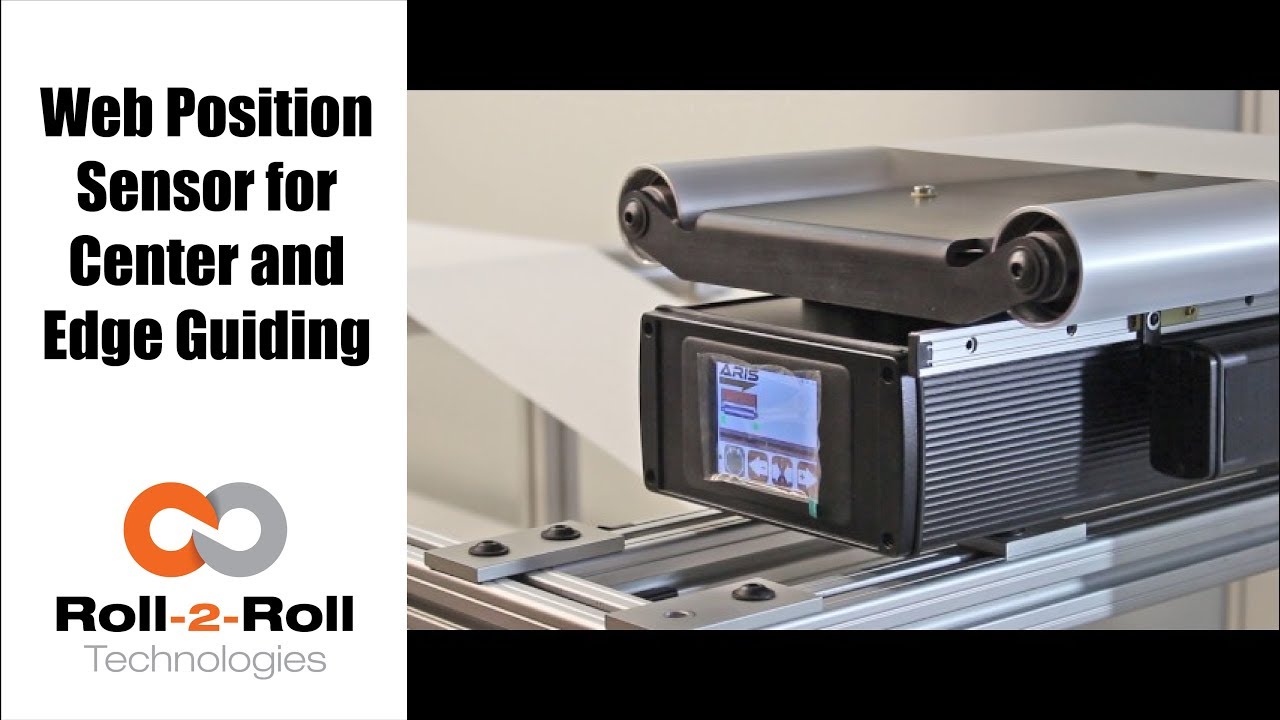
One of the many features of our wide width sensors is the ability to function as a sensor for both edge and center guiding without the need for calibration. See how easy it is to use one sensor for both center and edge web guiding applications in this demonstration of switching from edge guiding to center guiding on-the-fly.
Transcript
Show full transcript (196 words)
Today we want to show you another of the features of our sensors In this case, we have a 221 mm sensor, we can use for center guiding and at the same time for edge guiding, you just by flipping on off switch. Right now We have it set on a 15 inch guide. And it right now set up and run, as a center guide. However so what I'm going to do now we don't recommend you do it on your machine but just to show you how easy it is to just switch the one from center guiding to edge guiding.
So right now as you can see its set on center guiding. Now, I'm going to put the web guide out of automatic to manual and then I'm going to slide the sensor all the way for the position where it's going to be edge guiding on the same position that we have it right and then I'm going to turn it back on and and do edge and find sensor, and I'm going to turn it back on. You can see the maintain same position It's doing exactly edge guiding in the same position.