
For a complete overview of web width measurement with Roll-2-Roll® Sensors and Roll-2-Roll® Controller please visit this page: https://r2r.tech/articles/web-width-measurement-and-monitoring-applications-and-technology
For more information about the SCU controller please visit: https://r2r.tech/products/roll-2-roll-controller
Transcript
Show full transcript (1228 words)
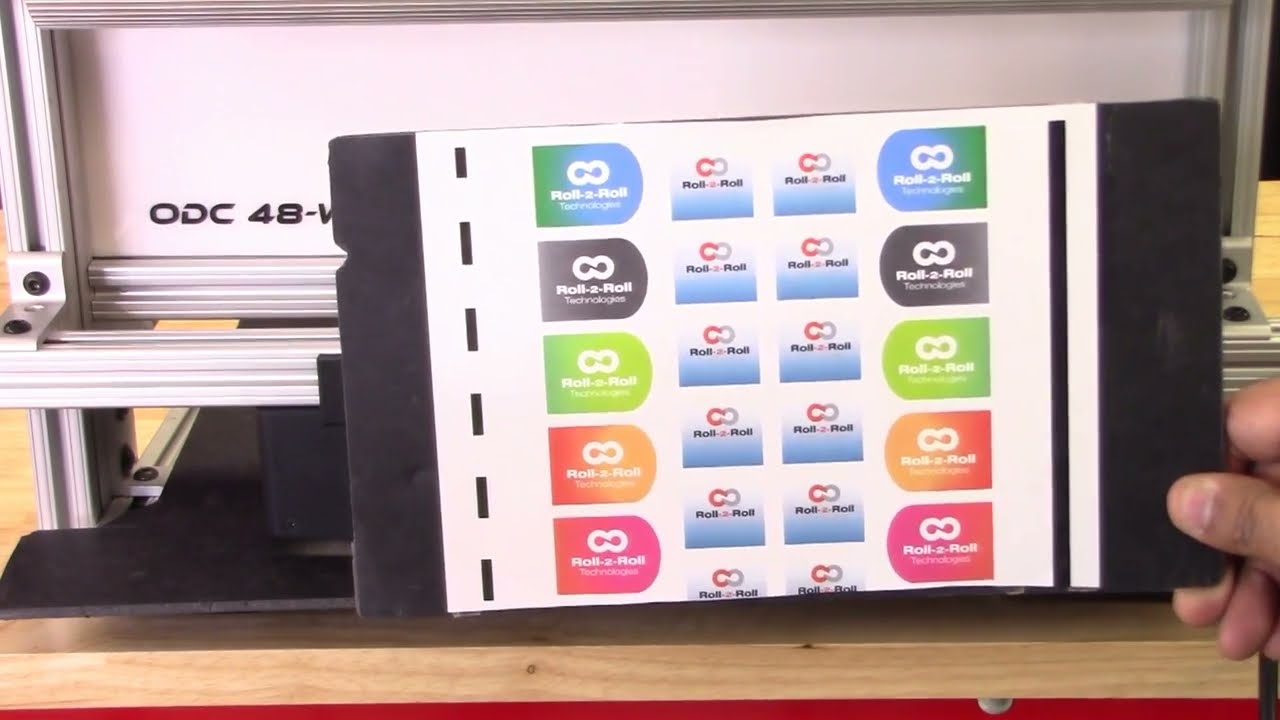
continuing along the lines of measuring the width of the web based on the contrasting feature in this video we're going to look at how we can measure the width based on some printing or contrasting feature on the web with two sensors so I've got a sample here with a whole bunch of features on the web not just the edge of the web the left side has a intermittent line of a certain width and then the right line right side has a solid line and then we have some labels with different edges with gradients and things like we can use any of these features to be able to measure the width of the web we don't necessarily need the edge of the web and as explained in the previous video These are relevant for certain applications where you want to measure the width of a coating or the width of a printed feature that might expand or contract differently than the edge of the web and then our sensors have the ability to be ability to do that so let's go into the controller and see how we can set this up we want to First make sure that both sensors are enabled and I've got both sensors enabled and I'm going to the operator sensor screen and we've got the sensor one and the Sensor 2 image as a first step what we are going to do is we're going to teach the teach Sensor 2 to look at that intermittent line and sensor one to look at the solid line and use that information to measure the width of the web so let's go to Sensor One sensor 1 has the solid line so we want to pick that line so I'm going to go in and pick the line mode and pick the feature that I want that's the solid feature that I want logged in on it now go into sensor 2. this is the intermittent line so if I move the web or remove the material you can see that the line disappears comes back in so I'm gonna pick that feature right there lock it in and then we have locked both the features but we don't know the distance between the two features so if we already know what the distance between the two features are then we can enter it so let's say it's eight inches is the distance between the two features I'm going to go in and teach it so the teaching procedure what it does is it teaches the controller to know that to know the distance would be in the two sensors if we don't do that then the output measurement is not it will be it will be proportional but it won't be the measurement so I'm going to go in and teach now I've got that measurement taught in as you can see on the web browser that the measurement now has updated to 8.002 inches and what I'm going to do is I'm going to move the sensor so maybe we can have a picture and you can see it there I'm going to move the sensor so that you can see how that width measurement changes oops there's the width measurement and when I move the sensor you can see that the width increased because I moved the sensor outside and now I'm going to move the sensor inside and you can see that the width goes down this way you can pretty much teach the controller to pick up any feature that you want and have the ability to track the width of the two features and teach the controller for the distance would be in the two sensors and then log the data we'll also look at how we can do the same thing with a different type of feature so we'll go into the controller operator sensor screen and then this is the intermittent line sensor so I'm gonna make sure to try to teach it to the edge of the label so I've got that label there put it on auto and I want to be able to teach that so we want to come in from this direction and pick that edge of the die-cut label there and I'm going to move this Sensor 2 and do the same thing sorry sensor 1 and do the same thing so this is the black line and this is the edge of the die cut label so we want to teach it to that want to go to that mode and pick that edge of the die cut label teach it to that teach it to that we need to make sure that this turns red and all the other features goes away that's when the controller says that the feed feature had been taught if it doesn't happen then the width will not have an output also what happens if we don't have it again if we go back and teach the distance between the two sensors so let's do that to be the same eight inches and if you go back into the web browser then you can see that's the width and if I move the sensor and you can see that on the top right hand corner if I move the sensor then the width increases or decreases so pretty much any feature that we could teach for in the contrast mode can be used to track the width of that contrasting or the combination of the contrasting feature one more thing I want to mention is that we want to make sure that the teaching is accepted by the controller if the teaching is not accepted then the width will not get recorded properly so for example if I go into the sensor screen go in here and then let's say the teaching was not accepted if the teaching was not accepted it's going to look like oops it's going to look like this even though it picked up the contrast the teaching is not accepted and if we go back to the home screen the width is going to be zero this is mainly because that in order to measure the with the contrast mode both sensors the contrast needs to be picked and thought so if we go back in and teach that contrasting feature for sensor one Sensor 2 also has that already and if you go back to the home screen you're going to see the width measurement and if you go back to the web browser you should also see that with the measurement there um that's essentially how we would set up the controller for web width measurement with two sensors and both sensors are in contrast mode and tracking a contrasting feature on either side of the web concludes our presentation about width measurement with either one sensor or two sensors with either Edge mode or contrast mode we also looked at the different outputs that we received from the controller with respect to analog digital and ethernet and with this you would be able to apply our products to a multiple different applications hope this information was useful and please subscribe to our Channel and for more information about our products and how they can be used in your application
For a complete overview of web width measurement with Roll-2-Roll® Sensors and Roll-2-Roll® Controller please visit this page: https://r2r.tech/articles/web-width-measurement-and-monitoring-applications-and-technology
For more information about the SCU controller please visit: https://r2r.tech/products/roll-2-roll-controller
Transcript
Show full transcript (1249 words)
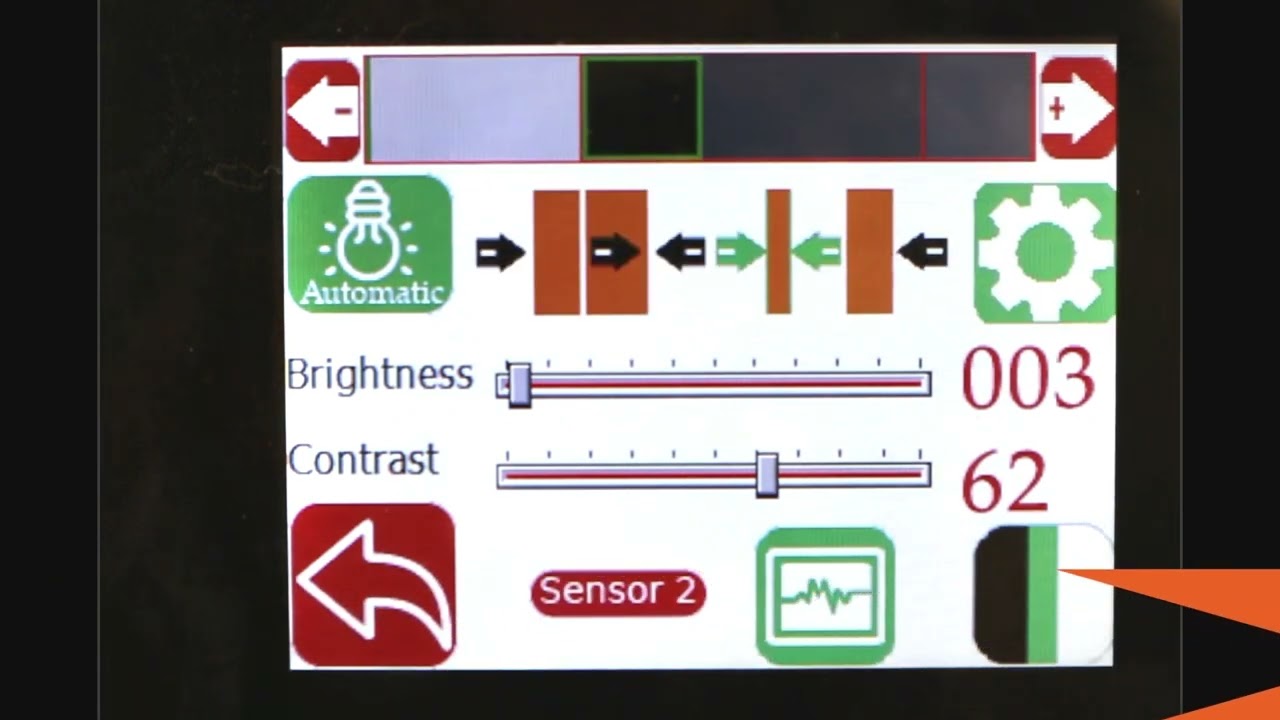
hello everyone today we're going to talk a little bit more about width measurement but this is more like an advanced width measurement application one of the things that you're going to see in the industry is that different people provide width measurement based on the edge position there are certain applications where you would need to measure the width of the web not based on the edge of the web but some contrasting feature on the web for example if you have a lamination or embossing application where you have multiple layers of web and the web goes through some Heating and Cooling different layers of the web May contract or expand and this might change the width of the web and and if you're just looking at the edge of the web that may not be representative of the width change that is experienced by a feature on the web withdrawal to roll our sensors not only can detect the edge of the web but it can also detect some contrasting features on the web and will take advantage of that and with that we can also look at width of that contrast contrasting feature so we have a setup here where we're looking at a sample in the bottom right there and then we have one of our white light sensors the ODC 48 white light sensors installed there and it's looking at that sample and this is just to simulate how we would do a contrasting feature measurement application where the web is stabilized either on a backup roller or really close to a roller so that the plane of the web doesn't change and that's what that is simulating and then we have a controller here and the controller is actually set for contrast mode you can go in and you can see that it's set for contrast mode and then it's also set to provide the width as an output and we'll see how that we can set it up to provide the width output even though we have two sensors connected we have disabled one of the sensors we're only looking at One sensor in this particular sensor is Sensor 2 and it's set for contrast mode what we are going to do is we're going to measure the width of this contrasting feature right there it's hard to see in this image but there is gray region a black region and another little bit brighter gray region here as a first step we're going to make we're going to teach the controller for the feature that we want to this is very similar to tracking so if you want to track this feature you're going to do the same thing press this button to unlock the teaching mode and depending upon whatever feature that you want to pick you can scroll through it in this case we want to pick this black feature right there we have selected it the contrast mode that we have this is the line mode so we have detected that and then lock in on it and if we go to the home screen you're going to see the the contrast the middle of the contrast representing the contrast is chosen as in line mode and then it's also showing the width of that feature so if I move my sensor back and you should be able to see that the width change a little bit but it also keeps track of the position one of the things with this particular mode or line mode is that in order to lock on this contrast there are two conditions that needs to be met one of them is the width of the contrast and the other one is the color of the contrast or the brightness of the and this is intended to make sure that we don't jump from one to another contrast and if you are measuring the width with this particular feature then whenever the width changes too much or the color changes too much you're going to have the measurement you're going to have no measurement what I mean by that is if I go in here and then pick the next line this is still a black line but you can see that the width went to zero even though there is a black line that you see here that's because of it it lost that contrast measuring the width of the web based on this contrasting feature is restrictive in line mode however we can go in and measure the contrast with in in other modes for example if you want to look at this particular width so this is the width of this region that you want to measure you can select that teach it then go to the home screen and that's showing you the width of that region and if we reduce that width you can see that that this region is 0.68 inches and then if we move further and further that region increases and it'll go all the way up to you see any other black region and now this is the measurement of the width the contrasting feature width and if we move any further the width is not going to change because it's bound by from this region to this region so we can not only measure the edge of the width of the width based on the edge we can measure the width based on any of the contrasting feature in the web so this is with one sensor how we do it some examples of applications is to measure the width of a die cut edge of a label to the edge of the web this is important in slitting certain slitting applications require the edge of the web to be at a certain distance from the die-cut edge of a lab or edge of the web to be at a certain distance from the edge of a printed mark on the web other applications are to measure the coding width in any type of coding or glue width or any of those kind of things lithium ion battery trim width measurement or tab width measurement or some other examples of this application where you want to measure the width of a contrasting feature the outputs that we provide is going to be very similar to the edge outputs so in this case we are using a 48 millimeter sensor and then this value is or we are using about two inch wide sensor and this value is about 0.68 inches so the output if it's an analog it's going to be proportional to the width of the sensor and again you can also get this output through the ethernet and if we look at that on our web browser we should also see the same output so again if we look at the output on our web browser it shows 0.685 inches and if I move the sensor and the width changes it updates that value again you can do it in millimeters if you want that's 21.7 millimeters or in inches it's 0.805 0.855 millimeters okay so that's a quick overview on width measurement based on a contrasting feature on the web with just a single sensor in the next video or in the subsequent video we will take a look at how we can do width measurement with two sensors based on the contrasting feature on the web
Transcript
Show full transcript (356 words)
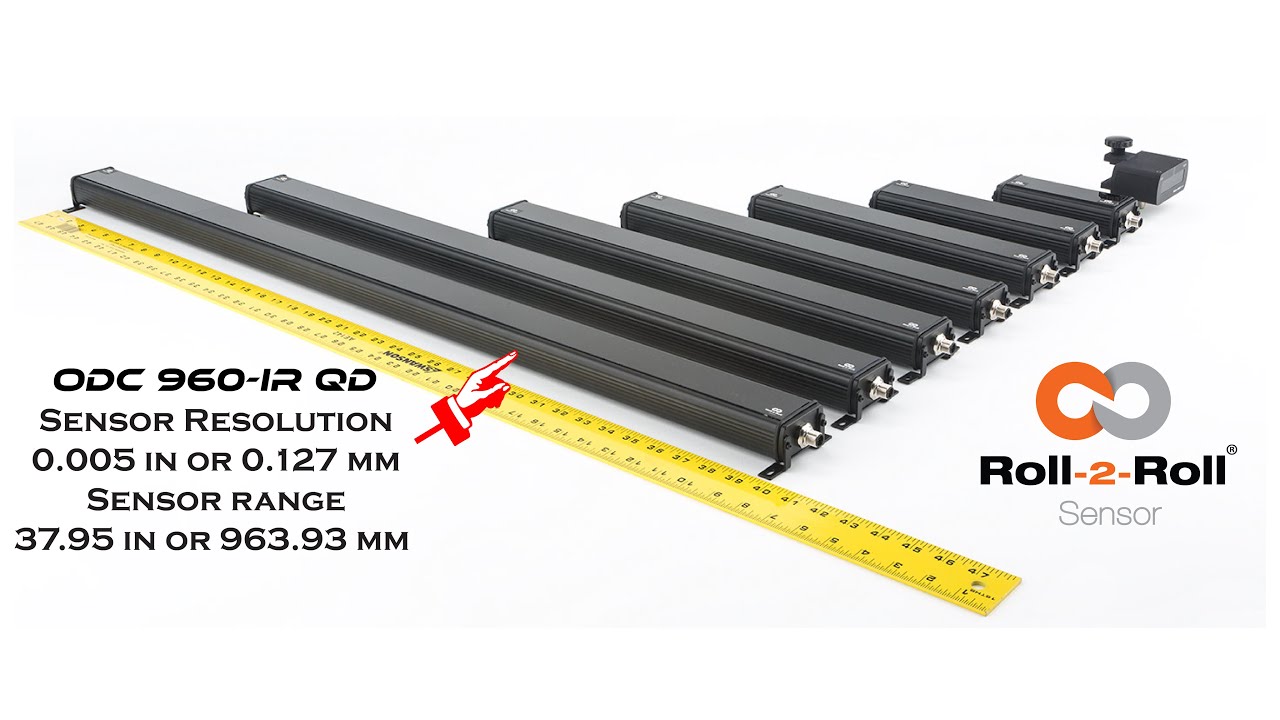
Hello everyone, this is Aravind Seshadri from Roll-2-Roll Technologies. Today we are really excited to talk about one of our newer products for edge guiding, sensing and different applications. We have our ODC 960 this is one of the widest edge sensor that is available in the resolution of 5 thousand's of an inch and this is one of the higher resolution cameras that we have for such a wide sensing range. There are lots of applications for this including web guiding, width measurement, thread counting, flag detection, splice detection.
Some of the unique features of this system is that it is a one sided solution. So when you have a one sided solution you don't have issues when you are trying to install it in a compact space. Becasue if it is one sided you can install it vertically or you can install it facing down so that you don't have to worry about the dust accumulation on the sensor. It also occupies a This is an unique and proprietary technology where we have our linear optics.
This allows us to install the sensor really close to the web. So even though the field of view is pretty wide. You don't have to worry about trying to have a large working distance. We don't have that issue.
And also because we have the linear optics we have a 1:1 magnification ratio. That means that we have a really good resolution in terms of the image that we are capturing. If you compare that to traditional machine vision system with a circular optics, when you increase the field of view your resolution goes down. In our case our resolution doesn't go down.
Right now we have plugged it up with our SCU5 controller where you can get about 5 thousands of an inch resolution. This can be used any of the applications we already support. Anyway we are introducing this at the converters expo show 2023 in Greenbay. And it should be available this summer for purchase.
Take a look at our website and we will have more information about the sensor and feel free to contact us. Thank you!
Transcript
Show full transcript (3927 words)
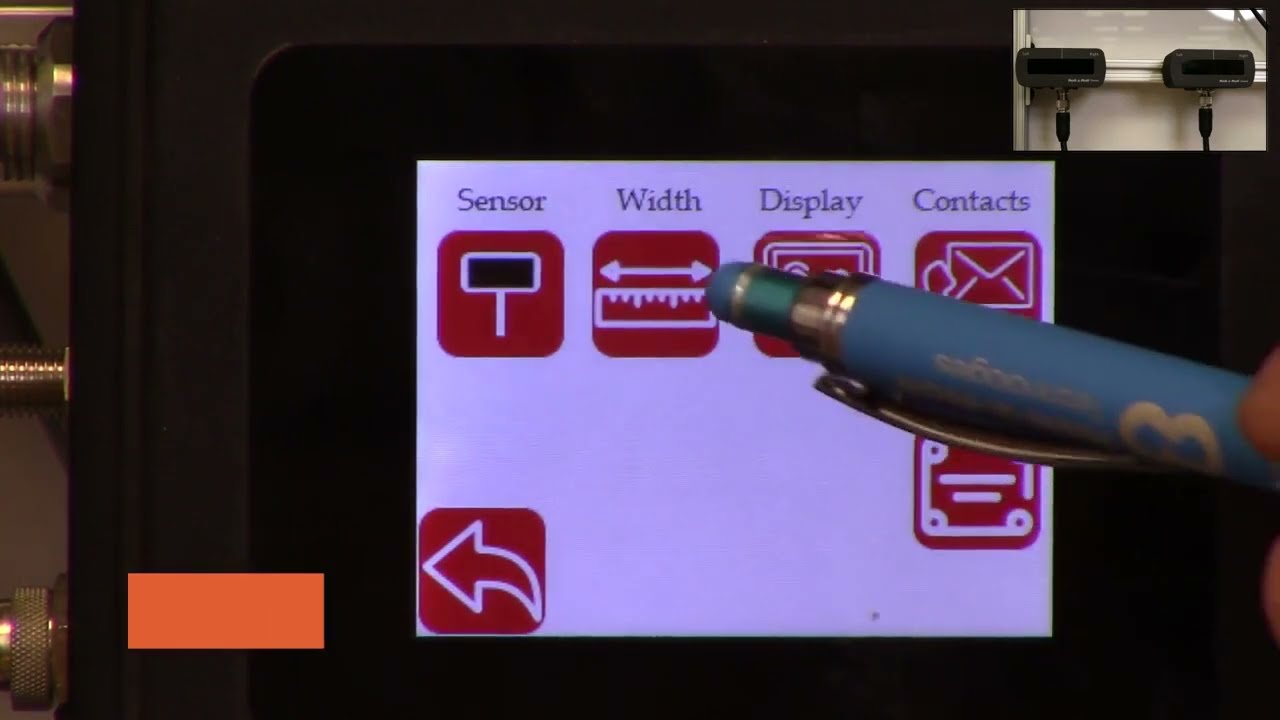
hello everyone today we are going to talk a little bit about the web width measurement application and how we can use the scu5 controller to measure the web width and also use another plc to collect that data log that data and also save it in a csv file on a usb thumb drive in order to do this what we're going to do is we're going to first set up our se5 controller for width measurement mode and then we also offer the rti which is the plc which has a special program that would actually talk to the scu5 controller and then allow the user to connect a usb drive to the plc so that the data can be logged automatically in the plc and the communication between the plc and the sco5 controller is being done through ethernet ip and then the user also has the ability to set up lot numbers so that when they are tracking different product codes they can enter that and that information is saved in the usb file automatically and the plc also allows the user to start and stop the data collection based on a line signal so that the data is only collected when the web is running and when it's not running the data can be automatically stopped from data collection and then finally we can also connect that plc to a stack light directly so that we can provide the alarms for warning error and then all good signals so all of this can be done uh through the plc and that's what is shown here this is the plc that we would be using to do that the first step in this process is to make sure that we have the suv5 controller set up for web width measurement mode and then the second step is to make sure that the ethernet settings on the sc 5 controller and the plc matches and then the third step is basically setting up the parameters on the plc so that you have everything for triggering the stack light as well as data logging so those are the three main things that we are going to cover so first we'll start off with setting up the se5 controller for width measurement mode as you can see here we have the sco5 controller now ready and then we also have the two sensors up on the top right corner and we're using two sensors one for detecting each edge of the web we'll go through this process so that we can set up the controller for width measurement as you can see if a web is presented you can see that both edges of the web are seen by the two sensors and then once that is there we just need to set the controller for width measurement mode and that can be done by following these steps first we're going to go into the tools icon right here and then go on the bottom power user and then go into the analog mode and make sure that the width is selected here and when we select this as the width now the home screen now shows the width as the output the controller still doesn't know the distance between the two sensors so in order for us to do that we need to teach the controller for the width so if i present the web here it's going to give some random values there so in order for us to teach that the distance between the two sensors we're going to go into the tool cycle and again and then the top right icon is the operator icon we're going to click on that and we're going to click on the width mode and then a few things that we are going to set so that we can teach the controller for the right measuring mode first of all the output type we're going to change it to absolute and then the nominal width this is going to be the width of the product that you're going to present while you're teaching so in this case the width of the product is approximately about 5 inches so i'm going to set in 5 inches right there and you can use this icon to change that and then the upper limit and lower limit it does not matter for this application because we're going to use the data raw data through ethernet to take care of that so we don't have to worry about that and now at this point all that we have to do is to present the web and then teach that while the web is presented so that's what i'm going to do right now so once we present the web and the teaching is accepted now we can go back to the home screen and now the controller is set up for width mode with two sensors and then now it's showing you the absolute width of the product as we move the web when the weight changes you can see that the width of the product also changes so the next the second step is that now the data is being collected in the scu5 the data is sent through the ethernet it's not being logged so in order for us to log that data we need to be able to set up the network parameters so that we can take care of these so the second step is to make sure that the network parameters are set up the easiest way for us to find out what is the ip address of our device and also set the network parameters is through the operator interface directly so we can do that by going into the tools icon the power user icon and then go into the communication we want to make sure that the ethernet is on as shown here and depending upon your network settings you may or may not want to have the dhcp on and then ftp on that really doesn't matter for this application if a network device is present then the controller will actually show the type of industrial network that is here and this is called ethernet ip and for in our case ethernet ip is the type of industrial network that we are using depending upon the firmware version you might have something here that says what type of module that we have we have two types of modules hms as well as hillshare depending upon what module you have that will show up if you have a older version of the firmware let's say version 3.6 d or maybe even 3.6 a then the type of module will not show up there the ip address of the module is shown here the subnet mask is shown here the gateway is shown here and then the mac address is shown here if you want to change the ip address of this module then you can just press this ip button and then type in the ip address that you want to change so i'm going to say 192 0 0 and 1 100. this is just for illustration purposes i actually put it as 2.100 if you want to set this you can press the set button to set it because i set the ip address wrong so i'm going to go back in and put the right at the address so again press on that one ninety two one sixty eight zero zero one and one hundred once we do that we need to press the set at the address to have the ip address set based on what you have entered and then if the ip address is different than what you had before you can hit the refresh button just to be sure that the controller has taken the ap address in some of the cases we might have to restart the whole controller especially with older firmware we might have to anytime we make a network change we might have to restart the power cycle the call controller with the newer firmware and the chip that we have we don't have to do that but likewise you can do the same thing for the mask and gateway and then if you have a controller or network where you are setting the dhcp then you would turn on the dhcp and anytime you turn on or off the dhcp you do need to power cycle the controller but essentially that's the easiest way for us to set the ip address the network information and also to view what controller or what module that we have on this particular controller there's also ways in which we can set these network information through a computer we're not going to talk about it today but this is the easiest way in which we can set this up now the second step in in this process is once we have this set up now we're going to go to the plc and make sure that the plc has the right parameters for communicating between the seo 5 and this controller the easiest way to make sure what the plc network information is and what the ip address for the plc is is done by actually pressing on the top left and the sorry the bottom left and the top right corner of the plc several times okay once you have that then you can go in and click on the offline so once you get into this offline mode you can also ensure that the ip address for the plc is set properly and make sure that it matches with the network information on the su-5 controller you have the ability to connect the suv5 controller to a managed or unmanaged network likewise you can do the same thing with the plc or you can directly connect the plc to the sc 5 controller without going through a switch if you do that what we need to make sure is that the network information on the plc matches the network information on the sco5 controller and then plc has a distinct ip address compared to the sco5 controller and then the plc also knows the explicit ip address of the seo 5 controller so in order to check all of these things what we can do is we can go into the offline mode as shown here once you are in this offline mode we can go into the main unit and then click on the ethernet and then click on the lan and now this shows the information for this plc so this is the ip address subnet gateway for this plc we just need to make sure that this information is similar to the information on the scu5 controller so let's go ahead and look at that c5 controller communication and the ip address for the se5 controller is not the same as the plc which is what we want the subnet mask matches the gateway matches and then if you compare that with the plc has an ip address of 10 the sg5 has an ip address of 100. so once that is done we can go back into the peripherals and then look at the device plc settings ethernet ip and then go into that device and this is actually the device that we are trying to connect in our case scu5 so that ip address of that u5 matches the ip address on the plc now we have set up the plc and the se5 with the right network information so that they can talk to each other okay once we have all the ap address set up now we need to go into the steps that are necessary for data logging and also to start the communication first and foremost what we want to do is we want to make sure that the communication between the plc and the sg5 controller is going properly and for that we're going to go into that communication screen and then right now it says the ethernet ip is actually off so let's go ahead and turn it on now the ethernet ip is on if you don't see any error messages then it means that the sg5 controller and the plc is communicating properly just to show you what happens if it doesn't communicate i'm going to remove the ethernet connection from the se5 and you can see that there will be an error message that will show up saying that the tcp connection is lost or things like that so if you see that error message that means that the either the device is not set up properly to communicate with the seo 5 controller and this would be the error message that you would see um and it shows that that's not the plc it's basically it's not able to connect to the sco5 controller so as soon as we connect the cable back this error should disappear within a few within a minute or so and then yeah likewise now it's communicating with the plc with the suv so once that is set up so when you have a web in front now this should provide you the width of the web on the plc but it's also showing that width on the su-5 controller so in order to change the units what we are going to do is actually go into the setup screen and then go into the other setup as well and then the units are here you can set that to inches even though scu5 may be set to inches the plc can be set to another unit irrespective of what the unit of the scu5 is and in this screen you can also change the language currently we support english and spanish so if you press spanish it's going to go to all the icons would change to spanish and then if you want to set things back to english then you can do that so this is where you would set the units and you can go back to the home screen and now if we present the web now the units would be in inches just like what the sc5 is now we know that the sco5 is communicating with the plc and then you are able to see the data now we can add more things to it so as you can see on the home screen there are the three lights that are available these are the three digital outputs so in order for us to run up a stack light what we do is we take the data from the scu5 and then use the recipe or the settings that are there on the plc so that you can set up upper limit and lower limits for the alarms and warnings that way you can connect it to a stack light and the stack light would go on based on that so in order to do that we're going to go into this screen and then go into the width setup and we can set the upper limit and lower limit for the alarms and all the units are going to be in the respective units for the alarm and as well as the width so the first step that we want to do when we are in this which setup screen to trigger the stack light is to set up the nominal width the alarm warning and all this information so in our case we have set the nominal width to 5 inches but if you want to change it to some other value you can just press that button upper limit and lower limits for the alarm and the warning doesn't have to be symmetrical so it can be asymmetric the alarm value should always be greater than the warning value uh that's the precondition when the width value exceeds the alarm value or goes above the upper limit of the alarm value or goes below the lower limit of the alarm value then the red light is going to be indicated and then likewise if it's in the range for the warning it will be in the amber and then if it is within the nominal width that's going to show the um essentially the green so once we have it set up we can go to the home screen you can see that right now the alarm is enabled and then when the width is within the nominal range you have it as green and then if the width changes to some value that is outside those limits amber and then if it's really off then it goes to red and that's the way in which this works now you can also plot this data so you can see that in a real time graph it's going to show you the the limits for the width as well as the limits for the alarm showing that in red so you can have a visual indication of how it's been doing starting with the graph like that now that we have set up these alarms and warnings and stuff like these are not used for data logging purposes but these are just for triggering out triggering the stack in order to lock the data you can start logging by connecting a usb and if you want to have some lot information you can go in and press that and enter your lot number so that when we log the data that lot number is also allocated there so in order to log the data we need to be able to connect the thumb drive there's a usb port underneath the plc that we can use to connect that thumb drive so i have an extension cable here so i'm going to connect the thumb thumb drive through an extension cable but as soon as we connect that thumb drive to the plc there should be a blue icon that appears in the bottom right as you can see in the bottom right hand corner that icon appears and if you want to take a look at it go inside right now it has disappeared but that lets you know that the usb has been recognized and connected to the device once you are ready with that what we can do is go into the plc and start data logging so we have the web here and we have presented all the uh the settings for the upper limit and lower limit and all those kind of things so since they're all set up right now we can go ahead and start collecting the data and when the web is there you can see that it's measuring that we're going to go away and then communication data log now it's saying no data logging is being done so in order for us to do the data logging i'm going to start and now this is started data logging the remote data log is off right now but if you want to have a another interface or a signal that would tell us when to lock the data i went to start i'm going to stop then you're going to enable that if you want the operator to start and stop the data logging then you can just go here and do it since the logging is being done it says logging data on the top left hand corner and then once you're done data logging you can just press the stop button right there and then if you want to remove the usb you can safely remove the usb by pressing the top and the bottom just like what we did before and then now it shows up the usb icon at the bottom there so we're going to click on that icon and then say remove usb storage device and press yes on it and then the storage device has been removed successfully because that icon on here has disappeared now you are able to disconnect the usb thumb drive and once you connect it to the computer then you have the ability to take a look at the data so let's do that next okay we're going to switch over to the computer screen now the usb is connected and you can see that the thumb drive has been recognized and it shows the different files that are there so today is the 25th so we have that file right there showing the 25th and if you double click on that file you can see that it has collected the data the lot number has been assigned and then you also have the sorry about that you also have the width data that is being presented here as you scroll down okay as you scroll down you can see the actual width measurement that was done so right now the time scale is about in this particular program it's about once per second so the width at that time was 4.735 inches and the units is basically the same units that we have on the controller so if you had units the unit shows up and if you have inches it shows up the lot number shows up and then the time when it was recorded and then the date when it was recorded so that's as simple as that to be able to log the data through the rti plc um in from our scu5 controller one other feature that we have is that we also have the ability to provide some recipes the recipes are used when you are running different web with products and you don't want to change the nominal with the alarm and the warning information every time you change the width you can create your own recipes and that's done here and um anytime you want to load a recipe you click on that product product number and then you're going to press load recipe and whatever that value is going to be loaded it's going to be displayed it will not be presented or pushed to the home screen until you press the accept so now once you press the accept that value is being loaded anytime you want to save a new recipe you're going to go in there press on load and then press the values for those so if i want to change that nominal width to 5 inches i'm going to enter that nominal width and then the all the other settings are set now i am happy with this recipe so what i'm going to do is i'm going to save that now product one every time we go to product one it's gonna have the five inches so we go back to product two load that recipe that shows up there and product one come back here and load that recipe now it's five this is just displaying it so if you want to push this to the home screen you still need to press accept and we're gonna do that now if you go back to the home screen that's gonna show you that the new alarm and warning signals and you can see that here if i present the web you can see that it's good now and it's an alarm now i think so that's essentially it
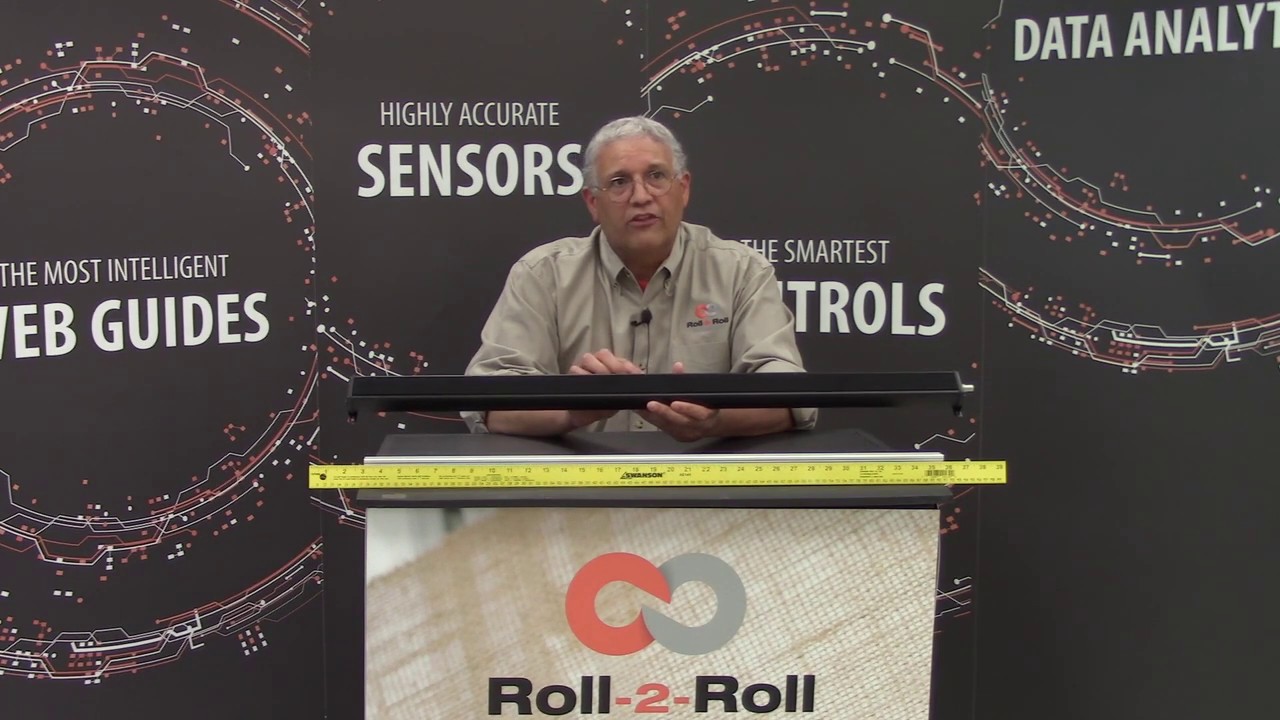
Roll-2-Roll Technologies would be introducing the WPS 900 sensor, one of the widest sensors that in the market. With over 35 inches of sensor range, this is one of the widest edge sensors, if not the widest in the converting industry. Please come visit us at the booth to find out more.
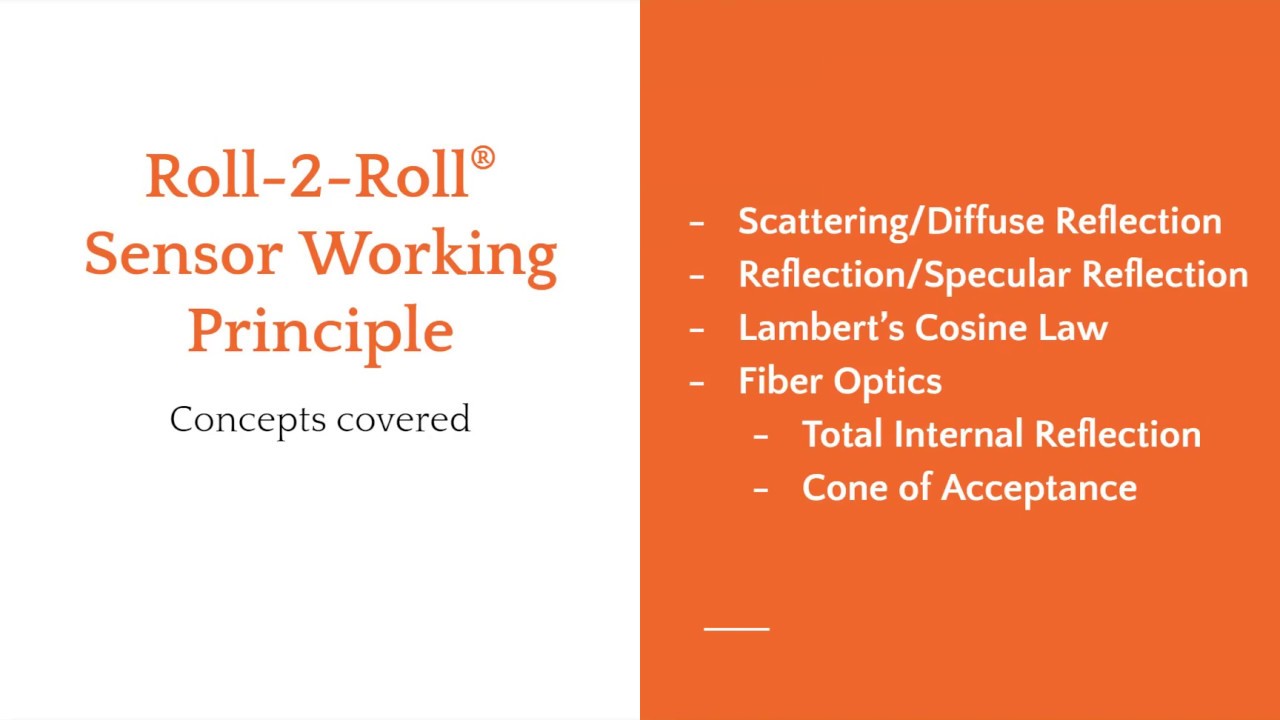
The webinar will cover sensing and measurement technology that are used in Roll-2-Roll® Sensors.
The presentation will cover:
- the fundamental working principle of the patented fiber optic technology
- how it differs from the conventional sensors
- benefits of the fiber optic technology
- application of the fiber optic sensor technology for sensing and measurement applications such as edge detection, width measurement, registration mark detection, flag detection, void/hole detection, tear detection, etc.
Transcript
Show full transcript (9115 words)
talk a little bit about the different sensors that are available in the market and how our sensor is different and then we'll also talk about what are the applications for our sensor in this industry so to start off with just to give you an idea on some of the topics that we cover most often when we are looking at edge sensing a lot of the sensors that we use are going to be optical sensors but the some of the concepts that we have covered here doesn't really only apply to just optical sensors it can also be sound or any kind of a wave so some of the basic concepts that we are going to be looking at and is what is reflection what is absorption what is transmission and how the conventional sensors use these concepts to determine the web position and while we are going through this presentation you will also have some polls that will be administered you should be able to see the pulse and if you can answer those that would be really helpful for us so that it cannot guide us through this process I also have Carlo and Pedro Manning the polls in the Q&A section so any time there is some question or things like that feel free to put your questions there and they will be able to address that so in terms of concepts let's take a look at these so reflection so we have a light source that is being incident on an object and what can that light do well basically there are three main things that can happen to the light source the light can be transmitted through the object most of the time if the material is optically transparent or translucent there is some amount of the light or radiation for that matter which actually goes through the object some amount of light would be absorbed when the light is absorbed this is mainly because the photon the photons interact with the object and they would get absorbed into the object and this may be dissipated in the form of heat or even fluorescence then some amount of light would be reflected and basically the reflection is whatever the light that is incident on the object that is returned back to the same medium that is called as reflection here the the object is usually a different medium it could be a solid it could be a liquid whatever it may be and then where this incident light is that's another different medium it could be air or it could be vacuum or any of those so the reflection is basically returning the light back to the original medium transmission is basically passage of light through the medium an absorption is actually absorption of the light into the medium the reflection and transmission typically do not change the light frequency when we say frequency it's more like color so if you have a red light and the light goes through an object or it gets reflected the color typically does not change there are special cases when it will change but usually it doesn't change and then absorption is basically the light is absorbed into the material and sometimes the absorbed light will actually change the state of the material and it can cause further emissions and those are called fluorescence these are something that you would see with ultraviolet light source and when they fall on a certain type of object the object actually absorbs the light in the ultraviolet frequency range then that absorbed material gets to an excited state and then that emits a light in a different frequency usually called fluorescence so most sensors use or most optical sensors use these these three phenomena to kind of figure out how to detect the web so actually how it happens is is based on the amount of light that is transmitted or reflected or absorbed and there is a term for those and that's called reflectance which is the ratio of the light reflected to the incident light transmittance is the ratio of the transmitted to the incident radiation and an absorption is the ratio of the light absorbed to the incident radiation the reflection reflectance and transmittance or usually used to define optical properties of material so if a material is optically transparent that means that it transmits a lot of light through the object or it also reflects a little bit of light through the object that's what it means to be an optically transparent material while on the other hand if a material is opaque that means that the the object is going to reflect most of the light and it's going to transmit very little if not none of the light that is falling on the object so most often I mean almost all cases the color that we perceive on an object is because of selective absorption so if you see an object to be green that means that that object absorbs all bay links of light except green which is reflected out and that's why we are able to see the object at screen now all of these depend upon the wavelength of light certain objects behave differently based on the wavelength of light a great example is x-ray which is also a radiation x-ray may pass through opaque objects which are opaque the visible spectrum but are actually not opaque in the x-rays wavelength like wise and transparent object may not really be transparent in a different wavelength such as an infrared that's one of the reasons why our infrared sensor can even work with transparent webs transparent materials so these are the basic concepts in terms of how light interact with an object or what happens when light falls on an object most sensors use this principle so this is one of the most common sensor used in edge detection and it's called an opposing beam sensor essentially what it is is that the sensor has got two sides to it a transmitter and a receiver the transmitter sends some kind of a signal could be light sound or it could even be air just for our case we will just limit it to light and sound and then the receiver and in in the end and that signal is being transmitted or absorbed by the material and then the remaining signal falls on the receiver so this this technology or this sensing principle works well when the material absorbs the light or the signal like what we have shown here so none of the light sources that is falling on this web material is actually transmitted so you can basically infer the position by looking at how much light that I get or let's say if the receiver gets 50% of the light then it means that the web is at 50% of the viewing area that's where it is it's really simple sensor technology and usually it's also referred with different names it's called fork-style or a u-shape sensor or a blocking and unblocking sensor technology now like I said most often this sensor technology works but there are some cases when it does and work well and as you can imagine whenever the web material starts to have high transmittance then the signal is going to leak through it and the sensor will provide a different output now if you compare these two web materials they are exactly at the same location but because of the properties of the material you're going to have different transmittance and that really affects the sensor output and that's the main shortcoming of these types of material now how does it how does it involve how does it relate to our cases basically if the material is porous that means that actually there is no solid there to prevent that light to go through or sound to go through then that's a problem obviously if it is opaque sorry um the opacity is lower then that's a problem and this means that the sensor requires calibration and since this is an inferred measurement let's say you are you get 50 percent signal that means you assume you're at 50 percent location this is not an absolute measurement so you really don't know unless you calibrate it what the actual position is and it's not accurate that's the main thing with it there's also ambiguity in spatial ambiguity with this kind of a sensor sensor technology I'll talk a little bit about it in the next slide about what what I mean by that now there are other types of sensors that try to avoid the issue with transmittance and the way they do it is what is called as a retro-reflective sensors you have a transmitter and receiver on the same side there is no receiver on the opposite side the light is now incident on the reflector the reflector is a special material so it reflects the light back to the receiver and when we do that the portion of the light that goes through the material is attenuated here and then it falls on the reflector and now all the light that is falling on the reflector is reflected back to the receiver and the light that actually goes through the material it's actually attenuated twice as much as if you had a transmitter and receiver on these two sides so the main advantage with this kind of a system is that you are essentially doubling the or essentially reducing the transmittance by half by making your light go back and forth twice through the same material so if you have like an clear material you might be able to do this where you can increase the sensitivity of your system and then you can you can use the retro-reflective technique to detect the web the other advantage of this kind of system is that the transmitter and the receiver are on the same side and then the reflector could be much farther away from the transmitter and receiver so that essentially make this like a one-sided system and this has other advantages in terms of like you don't have to have a constrainted fork where where the the throat of the fork you don't have to worry about that if the web plane changes and things like that and it's usually compact most often these retro-reflective sensors are used for in presence/absence detection and there are some sensors that are used for nonwoven applications and they actually use a special mirror kind of a thing so that it can go through low basis weight nonwoven a couple of times before we can get the signal back so that's a retro-reflective sensor now the main thing with the conventional ed sensors is that it's a simple sensor technology when you have low transmittance but as soon as you start looking at materials that have special properties and things like that these sensors have issues especially with engineered materials like nonwovens and and some really clear material the material properties affects transmissions and absorption and hence the accuracy of the sensor is lost now I talked about spatial ambiguity let's say the receiver is a single element maybe it's an ultrasonic receiver with just a one element or maybe a photocell if that's the case then if you have a small object like this which is much smaller compared to the viewing area of the sensor and if the object is anywhere within this range there's no way the sensor can tell you what the position is it can tell how much signal attackin teammates but it cannot tell what the position is and that's what is called as spatial ambiguity with these kind of sensors these are especially important when we look at threads and things like that with our sensor that's not an issue the other thing with these sensors is it cannot detect surface characteristics so it the the whole web either blocks or transmits and since there is no way we can figure out if there's a feature on the web or a structure on the web there's no way this sensor technology can detect what it is the other issues that these technologies have is that image saturation issues basically what it means is that most often the receiver is saturated by light and then you have a let's say you have a small object that is there that photo cell or the pixal for that matter might be saturated and it would have some kind of a saturation issue with that so when you are trying to detect a small object or a feature there is a problem then finally the sensor resolution and depends upon the range of the sensor so if it is a single receiver element and you want to make this sensor 2 inches wide then the resolution that it can detect is going to be the same as set a solution of the A to D converter or whatever it may be so irrespective of the width of the sensor or the range of the sensor the resolution would change and that's an issue now instead of using transmittance can we use reflection of the web to measure the web position and the answer is yes we can and that's what we do with our sensor and in order to look at that let's take a look at a few concepts about basically reflection or scattering or diffuse reflection and a couple of different things that we use in our sensor technology and then our sensor is based on optical fibers and optical fiber properties or fiber optics so we'll look at a couple of concept there as well so again we have an incident light that is falling on an object and we talked about reflection transmittance and absorption actually this reflection was just like a simpler way of representation of the light the light source is going to be it's not it's not going to be like a ray it's going to be a wave in fact so what really happens is that the light falling on the object it's actually scattering everywhere and the light goes off everywhere and then there's a portion of the light that is reflected now this phenomenon where it scatters off everywhere it's called scattering or the actual technical term for that is diffuse reflection and then this ray right here which is following the typical ray optics is called specular reflection so you have specular reflection and then diffuse reflection specular reflection is usually seen in smooth surfaces polished surfaces mirrors and things like that where the light will bounce at the same angle as the incident angle and scattering and diffuse reflection is going to be seen in most materials that are not polished or smooth so almost every material that we deal with is doing the few scattering and the reason why we are able to see a color in an object on an object is because of scattering or diffuse scattering so the the reason why this is scattering in all these direction is because the surface has got irregularities on it and those irregularities have different angles and when the incident light falls on that microscopic irregularity its reflecting it back at the same angle with respect to that small microscopic surface but because we have a whole bunch of those the light is scattered in all the different direction just like scattering and reflection there's also diffuse reflection and regular sorry diffuse transmittance and regular transmittance when the light goes to it and that is not of importance for us the main thing for us is this reflection now there is another thing that is important when you're installing the sensor we talk about the angle this is mainly saying that if you have a light source that is coming at a certain angle then the maximum amount of scattering is going to happen close to the normal when we do our sensor installation there are some sense of installation recommendation that we provide that's that's mainly based on this so if you have if you want to view the object from this angle then as you can see here there's going to be a lot less light than if you view from here and likewise the light source as well this is called as Lambert's cosine law and basically you want to keep that angle as close to normal as possible so that we can get the maximum so if we use scattering how do we make a sensor that can do this again and just like a retroreflector one we have a light source and a transmitter and a receiver the the light goes through here falls on the web if the web material was perfectly reflective then all the light that goes here will exactly reflect back at the same angle which is normal to the surface and then we will have a really good image and we'll be happy but that's not what happens the light when it falls on the material it's just chaotic it's going to reflect everywhere or scatter everywhere and we're going to have the same issue like an opposing beam sensor technology where we have scattering and which will be dependent upon the material and how far the material is from the web and and the spatial ambiguity and accuracy and things like that so how do we fix that basically we add a filter to it and that's our proprietary technology so we add a filter that filters the light and the way it works is that when the light falls on the web it scatters everywhere but the filter is going to selectively couple the light coming in falling on it at a certain angle and now the light goes back now we know where the web is if this receiver is a pixel array or some kind of imaging element then we would know all these elements would receive light and all these elements would be dark and if we do an edge detection algorithm we can figure out where the web is that's the underlying principle of that and how do we create a filter that's based on fiber optics so optical fibers have special properties in that they allow the light to go in only at a certain angle like the cone that is shown here so if you have the web if you have the light falling on the fiber at an angle that is steeper than the scone it will not go in so it's basically gonna filter out all the light and allow light only coming at a certain angle to go in and that's how we do it so that's the basic fiber optic technology that we have so how does it work just to give you an illustration there's a light source that is illuminating the web and the light scatters everywhere but then the light that is directly underneath the fiber is the one that gets coupled into the fiber all the other light that is coming at an angle doesn't get coupled into the fiber and that's how we we we didn't mind what the web position is again this is a true and absolute web position measurement because the fiber has to align with the web edge for it to be able to pick up the light and just just an illustration of how we do it now essentially the light source angle can be at any angle as we saw before but we want to keep the scattering to the maximum so we're going to keep that light source as close to the receiver as possible to take advantage of the Lambert's in my inverse Lambert's cosine law so we have a light source it could be laser LED or anything like that it falls on the surface it scatters everywhere this is a side view of the optics and this is the front view of the same thing so the light falls onto the fiber optics and then the photo diode or a pixel which is position behind the fiber optics is going to pick up that light that's how we determine where the position of the web is now I mentioned that we have a pixel or a photodiode behind the fiber basically what we do is we capture the image and then we do real-time image processing to determine the edge of the material this is an important part of our sensor technology technology not just that not just the the way the sensor works but also how do we process the image is important the algorithm adapts to a few other things that we will talk about later in terms of how do you adjust for intensity changes how do you adjust for focal lengths and stuff like that so essentially a component the components of our sensor or four main components one is the light source we typically use LED light source it could be visible or a broad light spectrum or infrared or even UV light and then there is an optics that is filtering the light that is coming at all different angles that is our patented fiber-optic technology and then there is an imaging element behind that optics which is usually a linear pixel array and it's anywhere from 768 pixels to about 14,000 pixels and these pixels are arranged really close to each other at 63 and 1/2 micron or about five thousandth of an inch and then finally the image processing algorithm which actually does the edge detection so let's see how that works now we have a different samples of web that we can present to our sensor as you can see the some of them are opaque some of them are completely optically transferring some of them are porous they have voids in them and irrespective of any of those our sensor can provide a really reliable and highly accurate web position measurement I think this is a published article that you can find in converting but the but dearest the accuracy was about ninety over ninety nine point three percent with any of those materials and we didn't do any calibration that's the main thing with our sensor technology now just to give you an idea we saw the different images as you can see the light that is falling on to the imaging element is going to have varying intensity depending upon the material that we have so if we have a light scale where blue is completely dark and red is completely light or white and then there's a spectrum going through that you can see that all of these edges are are not as sharp as what we have illustrated in the working principle in spite of that this is the output of the edge detection algorithm they did the edge detection algorithm goes in and says oh this is the edge for this black nonwoven web this is the edge for the transparent web this is the edge for the load GSM nonwoven and this is the edge for the perla now we don't really just have to look at the edge of the material we can actually look at features or patterns on the material as long as the pattern is parallel to the machine direction then we can do the same thing so here for example we had some die cut edge of a label so we wanted to detect the edge right here edge right here edge right here on the edge right here so and again we can do that with our sensor technology and it provides a pretty good measurement so in terms of the the image processing feature that we have the key things there are we do what we call as dynamic threshold that means that every single image that we take every sample we do run our edge detection algorithm and it automatically to the lighting it adjust automatically to the focus it adjust automatically to the material and figure out figures out where the edges and just to give you an example again this is an image from our four 440 sensor with infrared light source black just means that there is no light coming back and then white means that it's coming back now this is the raw image on the top we presented a burlap web right there and if we just say I don't care about what's in between I just need the edge of the web tell me the left edge in the right edge then we can give an output which is going to be like this so the edge detection algorithm goes in and picks up the left edge in the right edge it doesn't care about anything in the middle now what happens if we have a lower brightness it's the same web same location we have a lower brightness as you can see these two images are pretty different with low intensity again no problem no setup no calibration the edge detection algorithm will automatically adapt to that and pick that and what happens if you have a really bad image where it's not only low brightness but it's also further away from our sensor no problem we can still do that I'm not sure if you can see this on your screen but this is really faint gradient here but we can still do that now the other things that we can also do is background suppression what it means is that we have special way of adjusting automatically so that if there is a background in the image which is at a certain distance from the web we can still adjust for it and that's what is shown here so here this is an example of a clear web with an infrared light source on it and there's some background there and we were able to automatically adjust it and provide the edge positions there now when we do this we also have additional information that we provide from our sensor we can provide an edge quality feedback that means we can say how good the edges we call it as a quality factor we can provide it for each edge that we measure and then we can also provide a flutter feedback for each edge again the quality factor is based on instantaneous measurement while a flutter is based on temporal it's a function of time so but anyway we can provide that flutter information as well now other things that we could do is one of the things with the with the conventional sensor is that it has issues with spatial ambiguity this is going to be common when you have like really small feature our sensor obviously does not have that issue and just to give you an example here is an image of a single thread this thread is like two or three millimeters wide and we can pick up a single thread like that with our sensor and and what if you have multiple threads and let's say you are running some kind of an operation where you have to guide or bring in multiple threads into your process and you want to be able to count the threads well if you present something like that we can still do that as you can see in the raw image there are some threads which are kind of out of focus or farther away some really in focus and a it doesn't matter our algorithm is able to go in and pick that up and tell you process the image and tell you the edges now when we do edge detection like this we can essentially provide you with every single edge position where they are within the sensor or most often because it's a lot of data that is going through we can actually provide you some statistics of this whole measurement so we can say well what is the average width of these threads that we picked up and what is the average gap between them so on and so forth what is the minimum what is the maximum so we can compress that in the data and provide some statistics that you can use to kind of figure it out like for example here these there are actually two threads here these two threads are really close to each other and when they are close to each other then this kind of the thread kind of became like double so if you're able to monitor that then we can figure that out and tell you that hey something is coming too close to each other or overlapping and things like that again we can with low brightness it's not an issue we can still pick up that edge right there now I talked about edges but it doesn't have to be an edge here this is basically a printed pattern that we are looking at different colors different colors are going to reflect light at different intensity again an infrared light source is illuminating a colored web here and you can see that it can pick up these contrasts so when we do contrast application what we can do is we can not only tell you the location of the edge where the the contrast is different but we can also tell you the intensity of that so that's how we can teach our sensor to follow a particular color or a line or something like that now we we have done sub-pixel edge detection so that means that we can go to one twenty thousandth of an inch or sixteen micron in terms of the resolution our standard pixels or the standard imaging element has a resolution of 63 and a half micron and we can do 1/4 or 1/8 of that to get sub pixel resolution so those are the features of our sensor in terms of the sensing principle how we do image processing and how the raw image looks like and how the process image looks like and things like that now let me just quickly go over some of the applications that we have with our sensor first and foremost we do edge detection that's one of the basic things if we want to do edge guiding then we need to do edge detection the other things that we do are with the measurement contrast position measurement contrast position detection and contrast our pattern it's pretty much the same kind of thing then we do thread counting and I showed a little bit about that we can also detect a mark on the web we can also detect a flag on the web we can also detect what we call as a coverage or the for lack of a better term optical density of the web and then finally the stack measurement so let's go over some of these really quick edge detection since our sensor is one-sided you can have a web that is coming from left to right like in this case or from right to left it doesn't matter all we just need to know is what direction we need to scan for the edge if if if the sent if if the sensor if we're looking at the right edge of the web which is this one then we're going to scan from right to left if we're looking at the left of the left edge of the web then wicker we're going to scan for from left to right now what we are going to look for is in an edge detection is the first transition from a dark to any kind of a light and that's how we would do the edge detection now I've got a short video here and hopefully it can play properly and these videos are on our website but the idea here is to show that we can put any web material and this is showing the position of the web we can pretty much put any web material and without any setup or calibration we can get the true measurement or the absolute measurement of the web this is like a highly porous non woven that we used the other extreme example is like a really porous mesh kind of a web even if we have a web like that when we do edge detection we can accurately get the leftmost edge of the web or whatever the edge that we want we can get that accurately so that's what this video is showing so some application example where we provide the most value to our customers is that whenever you are doing edge detection with frequent material change over like if you are going to detect a paper web all day every day yeah we can do that too but that's not where our value is this would be like nonwovens or any any kind of engineered material that you are changing quite frequently where you don't know the opacity and the porosity and stuff like that our sensors work great in those application or if we do width changes like I mentioned we can go from about 48 millimeters up to about 900 millimeters in sensing range without losing any resolution that means that you can run different webs without different width webs without needing to move the sensor that's another place where we have a pretty good advantage challenging materials of course that's that's our specialty is if you have something that's really complex then we can do that and then challenging environments specifically vacuum that's a place where we have got a lot of success especially when we are trying to detect clear film inside a vacuum environment now the advantages are that we don't need any setup for calibration and it's pretty cost effective in terms of connectivity we have industrial Ethernet this could be Ethernet IP or pro finet will also have EtherCAT and other things that we could do as well and some unique applications like I said clear web inside a vacuum this is pretty unique just because of the fact that most current technologies for detecting clear film or ultrasonic and ultrasonic doesn't work inside vacuum so that's pretty unique for us and then again metals that's another place where metals inside vacuum is another one since our sensor is single sided we have successfully used our sensor in abrasive environments where a web flutter or something like that they typically knock off a fork style sensor and we can position our sensor farther away from the web because our algorithm can adapt to that and we were able to do that with an abrasive web environment and then you can also do width measurement on low basis weight non-roman this is usually a problem with current sensors because they are not they're really really you need to do a lot of filtering with that or it could be some kind of an edge that is kind of ragged and we can also do like detecting ridges on a web so this could be some kind of an extruded plastic or something that has got a three-dimensional structure on it and you want to follow or see that some of those things we could do just to give you an idea the the the the sensor itself has just the optics the imaging element and the light source it doesn't have the processing so you need a sensor and a controller to do that it shows and then different output options at the hint we can have for edge sensing usually we can to analog output if you want to connect it to some legacy systems that use analog sensors otherwise we prefer to provide Ethernet IP or Pro finet for that matter option for H as output now the other common application that we do is width measurement now width measurement with two sensors or one sensor obviously this sensor is too small and if the WebWork changes then you're going to have an issue that's where we have our value where we can provide a wider sensor and what you don't have to have the sensors mounted on some kind of a linear positioners mechanical positioners these are again cost prohibitive and have inaccuracies and all those kind of things so you can avoid all of those by using a wider sensor and when the web which changes the sensor doesn't move so it can still detect the web width now if the sensor is wide enough then we can measure both edges of the web with a single sensor again this having a single sensor that does all of those then you don't have to worry about alignment the distance between the two sensors and all those kind of things this is the reason why we are moving to wider and wider sensors every year and we are about to release our 900 millimeter wide sensor this summer anyway if you have a wide sensor then you can see both edges of the web and without having any issues now most of the time these are applications in shrink sleeve so this is a one of the video from our distributor in Mexico but as you can see one of the things apart from providing accuracy and resolution in width measurement it's a safety thing so you don't really have to have somebody go in and measure a web while it's moving to make sure that it's at the site the correct width you can have an automatic automated system that can do that so here we're showing our for 40 mm sensor that is looking at both edges of the web in a shrink sleeve or a folding web application now we can do the same thing for others and some of the common applications are if you want to look at a blown film and you want to measure the width of the tube lay-flat width of the tube of the blown film a lots of different applications again this is one of our videos from our distributor in Mexico so like I said width measurement where we see it where where it's used like any time you are slitting and let's say you're slitting something that is uh that that requires you to measure the width to verify that we can use that folding the web again it could be in swing sleeve it could be other folding web applications and sometimes you can also look at the trim width just to make sure that you don't run too far out to the trim I mentioned about blown film and then extrusion like you can use it for monitoring extruded webs like resealable zippers or things like that that's where we we have our sensors installed and then you can also look at like width of tire rubber and in that case we can we actually have it in a back roller and we can do that as long as there is a contrast difference between the edge of the web and the background it doesn't have to be a clear background or a free space it can be anything then we can do that again different output options we typically prefer ethernet/ip or or or some kind of a industrial Ethernet apart from looking at the edge of the web we can look at contrasting features so basically we're taking advantage of the fact that different colors are gonna scatter light at different intensity in this case we are showing a white light a white light is typically used when we want to bring out visible contrast it doesn't have to be white light it can be UV so that you can have a fluorescence or can be IR as long as you are able to see the contrast difference and the light source is mainly used to extenuate the contrasting feature so either depending upon the frequency of the light source or sometimes the angle as well so some applications would be like if you want to look at a coated edge and you want to see how far the coating is to the edge lithium ion battery or any kind of coating that you can do even just regular paper coating you can do that and in paper coating case you would probably use a UV light so that most often that coating on the paper has some UV fluorescence to it or it can also be like looking at maybe tabs or things like that on a conveyor we can do that too and then not only are we detecting the contrast we can also provide the position of the contrast so you can use it for control purposes as well I've got a couple of videos here but I'm gonna skip that and you might be able to see that in our in our website I think I talked about this quickly so anytime you are guiding in a slitter where you want to slit to a printed line that's an application that could be in a doctor machine as well if you want to follow a UV line then cording width measurement and then some other simple inspection applications here's a quick video where we have a application where our sensor is installed to look at this bag which has an extrusion which is clear and then the bag itself is opaque the the idea is to measure the width of the green part of it and disregard the clear part of it and we are able to do that in this case it was installed with the free space at the back but it doesn't have to be free space you can actually install it with the back roller on it here we have an example of our sensor used to detect the width of the web where the web is supported on a roller and there is a contrast difference between the roller and the web and it's it's not clear here but we use a white light source in this one and we're actually looking for the edge of the clear film and not the edge of the printing and with the light source and we can do that and this is made this one is for width measurement for detecting wrinkles so whenever you have a wrinkle on the web that's going to reduce the width wrinkle or a fold over that's going to reduce the width and we can use our sensors to measure that there or like I said in the other application would be like if you have a tire width measurement application you have two sensors that are mounted and it can look at that the tire and in this case they they were kind of a little bit creative about it and they put a background that is white and then the tire by itself is black and the reason why it's black it's because it's absorbing all the light so in order for us to detect this we need to have a white background and then and then a clear a black foreground which is our web then we were able to detect that so that's our common width measurement application I briefly went over this this is another thing that we do is like string thread fiber monitoring so it could be like things that you use in textile and waist bands or or carbon fiber applications where you want to accurately measure multiple webs and in this case we would be able to do measure and count and provide statistics on what is the minimum what is the maximum what is the gap so on and so forth and we can also provide additional information like that again I'm going to skip this video for the sake of time and like I mentioned it's elastic thread or textile or carbon fiber any of those the main advantage here is that we're replacing some camera based system with our sensor and then for thread detection we are replacing mechanical pulleys and and pressure-sensitive sensors and we can actually stitch together multiple sensors over Ethernet our 440 sensors we have installed it up to 2 meters wide where we have connected four of them together which is possible the next application is marked detection so again we're trying to look for a contrasting mark which is a which is going to have different scattering and we can do that the main difference here is that the mark is along the machine direction sorry if it's it goes faster it's not a consistent mark that comes and as in a printed pattern or things like that but it doesn't matter we can still detect that and it can be a visible mark or UV fluorescent mark any of those and it's not only that we can detect the mark we can actually track the mark in terms of position that means that we're not just saying giving you an on-off signal we can also provide an analog output that tells you where the mark is with respect to the sensor the main advantage there is that we have a wider sensor so if the web moves we can still track the mark we can also detect flags on the web so let's say you have a web and it's got multiple flags you are going into a slitter now you're going to remove all the flags and then you're going to another process and then you want to put the flag back in how do you do that then you can detect a flag and then have some kind of a thing that would put the flag back in again after you complete it this is a little bit even though that you can see that the flags are different colors different weights different sizes the web may be different we can do all of those without any need for teaching I can adapt to different flags and different webs and it is not affected by web wander or web moving back and forth then we can also provide a quality signal in that case we can also do tear detection or coverage this is just an illustration or example of let's say there is a tear in the web and then the web actually splits we can detect that this is an exaggeration but if the tear is small we can still do that now if the web separates and moves the left and the right edge moves then that's an easier one to detect but if the web's doesn't move and you just need to see a wide or a hole again we can detect that again all of this is based on how much light we are getting when there's nothing when there's a wide or a hole or a tear if this region is going to be dark and this region is going to be white and then we can basically integrate how many pixels that are white and how many pixels that are black and that gives us the coverage and by monitoring the coverage you can detect if there's a hole or tear or anything like that one other application that we do is we could do is also product linked measurement basically what we do here is we just rotate the sensor 90 degrees and when the product is moving on a conveyor it can track the edge and it can basically say how wide the product is the main thing with this is that the sensor doesn't have to be longer than the product and then the product can run at different speeds and you don't need an external synchronization signal to be able to pick up that so that's a quick summary of some of the applications that we have just to summarize the advantage of our sensor technology is that it's accurate it's got it provides an absolute measurement it's very simple to use when you compare to like a traditional fork style sensor or maybe even a camera based sensor the resolution is not affected by range in a camera based sensor if you want to have a bigger range you have to install the camera at a certain working distance and when you do that you lose the resolution we don't have to worry about that in our case and it's a one-sided sensor so like in a camera based system you would have to install the camera or the light source the gantry all of those here it's all enclosed fully contained and because the sensor is going to be close to the web we can have a pretty good lighting control and then it's also compact in terms of installation and we have done a lot of customizations for our sensor and these would include processing speeds of up to about thousand Hertz and then we can track multiple edges there's really no limit to the number of edges we can track it's just that the information how do we send it and then sub-pixel approximations I mention that before two to eight X we can do that and we can also control the edge detection through Ethernet industrial Ethernet and then light source customization based on the application and then essentially the customisation is bringing us more and more close to a line scan camera based system but at a much lower cost and the difference is that we actually do the customization and we don't just sell the the the sensor and the imaging we actually do the processing as well unlike other line scan based systems so that's essentially my presentation and here is the contact info if you have any questions or any application or any need for sensors please let us know and I do have some questions in the Q&A section so let me just quickly go over some of those and see can your sensor technology by the way please use the Q&A section to ask any questions if you have can your sensor technology also measure a webs thickness across a sheet of material while in motion if if that's true what when a number of threads are being read in addition to placement of threads in their respective spacing can you also read the thickness yeah the the thickness we can't do that right now not in the current state we can look at what we are doing is we are taking a projection of the image a actually it's a 1d projection of the image and since thickness is going to be in the other dimension there's not a way for us to detect both at the same time so we cannot do that what types of industrial Ethernet do you utilize yeah we can use Ethernet IP Pro finet and we can also do either cat and then other other things other protocols okay what is the minimum distance between slit webs that would allow the sensor to measure the slit width of multiple webs parallel to each other okay that's a great question so if the if the if the web can scatter a lot of light then I would say we could do probably one or two millimeters and we can easily have one or two millimeter gap between the web's and be able to detect the slip web width that's something that we could do and then what is the working distance so the working distance for the sensor is really depend upon the the amount of light that is being scattered our normal working distance that we specify is about 10 millimeters it's pretty close to the web and by putting the sensor so close to the web we have a pretty good control of the lighting and that way we can we can have a pretty good image now there are applications where we have installed it more than two inches or maybe even three inches from the web surface so it really depends upon the amount of scattering but for anything that we want to do like width measurement and things like that we would we would want that distance to be within our specification so that we can provide a pretty accurate measurement and then the other thing that I forgot to mention about the width measurement is that you can measure the width in a free span or a free space but as we showed if you measure the web width on a roller if you can get the contrast difference and you can measure on a roller then that provides the most accurate measurement because you don't have to worry about focusing and things like that even though our algorithm can compensate for it but it's it's better if we can have the web stabilized let's see um gee so that's probably all the questions that I have I hope you have a had a chance to fill out our polls that be organized and if you haven't done that you can use the tab on the left to be able to see the polls and that would be really helpful for us so that we have a better understanding about what your needs are and how we can help again my name is are Arvind Seshadri and we really appreciate your time today to join us during our webinar if you go onto our website you should you should be able to see most of the stuff that I talked about today in terms of videos they should be on our website and then if you have an application and you would like to talk to us please give us a call or contact one of our distributors or sales reps in your respective region and they would be able to help you with any of your needs if there are no other questions then I will conclude this webinar once again thank you so much for your time
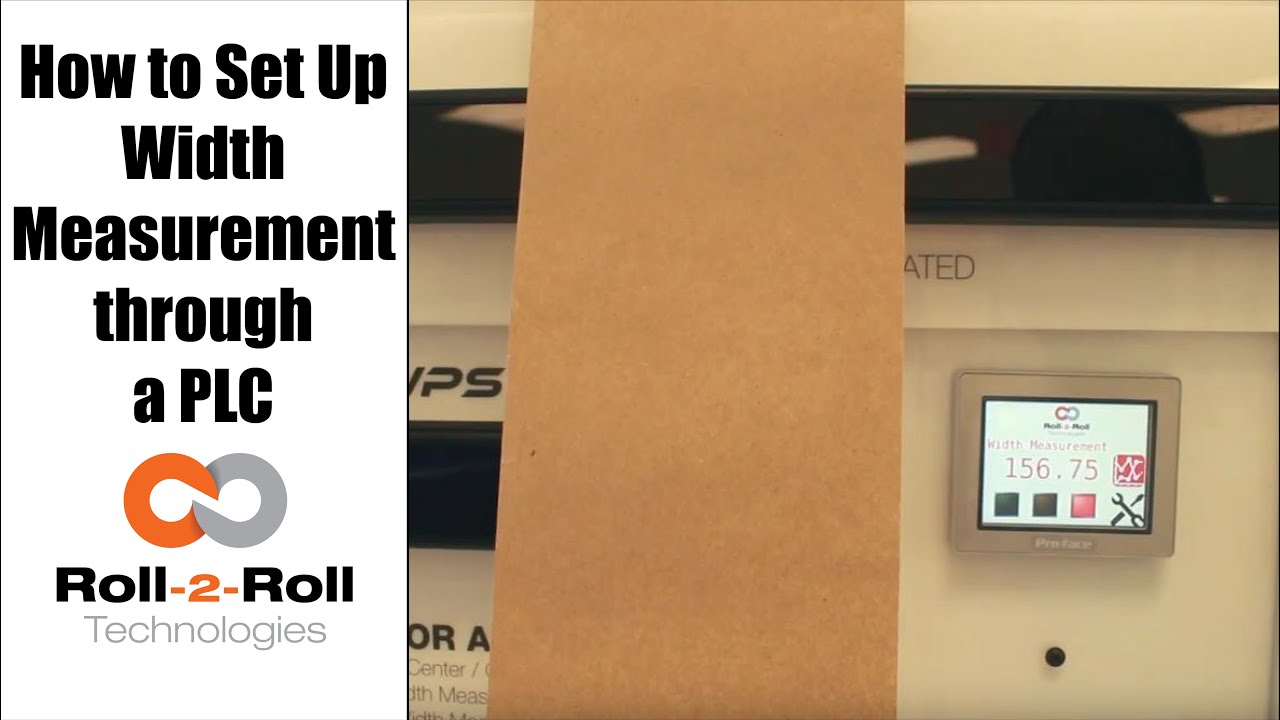
A programmable logic controller (PLC) or programmable controller is an industrial digital computer which has been ruggedized and adapted for the control of manufacturing processes, such as assembly lines, or robotic devices, or any activity that requires high reliability control and ease of programming and process fault diagnosis.
In this case, Roll-2-Roll Technologies programs the PLC for web width measurement in converting operations.
Transcript
Show full transcript (687 words)
okay this is a short video about how to set up the width measurement sensor now the first and foremost thing is the sensor has to be connected to the power supply and to the Ethernet and then a cable goes into the PLC and power for the PLC and for the Ethernet as soon as we tried a new web we present the web take a look at the documentation on our website to say how far the web needs to be with the sensor but once you have that ready we can go into this settings screen and then go to wit setup this is where we would go in and set up what is the nominal width so whenever you start a new job you can probably measure the width of that in this case I've already done that it's 153 millimeters so I'm gonna go in and set hundred and fifty three millimeters that's my limit and then we're gonna press record wait it's going to save that as the correct width we can also set alarms and warnings so depending upon your application so in this case we'll go ahead and set an upper limit of one millimeter for an alarm lower limit of one millimeter for the alarm and then about 0.5 millimeters on either side for the warning these ranges are the ones that are going to trigger the stacked lights so whenever the web width is within the nominal width which is 153 millimeters in this case then you'll have the green light enabled and then when it goes about by about 0.5 millimeters you're gonna have the amber light enabled and then any time it goes about one millimeter you'll have the red light enabled so go to the home screen and you can see that since it is within the spec the greenlight is enabled anytime I go and it increases quite a bit then the red light gets enabled and if I just tilt it a little bit and the weight goes up by half a millimeter then the amber light gets enabled one of the other things that we could do is actually trend the data so as soon as you set the limits the upper and the lower limits so we set it as one millimetre so 153 is our normal width and then we have 152 as the lower limit and 154 is the upper limit and it trends the data anytime that the weight changes they're gonna be able to see that the current measurement is shown here and then a plot for about 30 seconds is shown there so that's about it so if you have jobs where you can do recipes you can go into this and you can start saving those recipes here so you can pick one of those and say load and then you can add those recipe there so you can say product one I want to put the nominal with - 150 millimeters or whatever that may be alarm is - warning is 1 and then you say safe so now that product 1 recipe is saved to that so if you want to load a certain recipe click on that recipe click on load it's gonna load that we go back to 1 and load that we got that whatever that we uploaded will go in now if you want to take this data and put it into your main screen you have to select that product and say accept then that will be the current value for the value so it automatically took that recipe and put it at 182 millimeters the range that we set alarms that he said automatically goes in there so since that's not the right one so let's just go ahead and load it and then put our current value there save accept and now we set our current weight to be 152 which is outside our limits so you got the amber light and then whenever you need to plot it we can plot that data right there so that's a brief overview of the weight measurement with our PLC's you
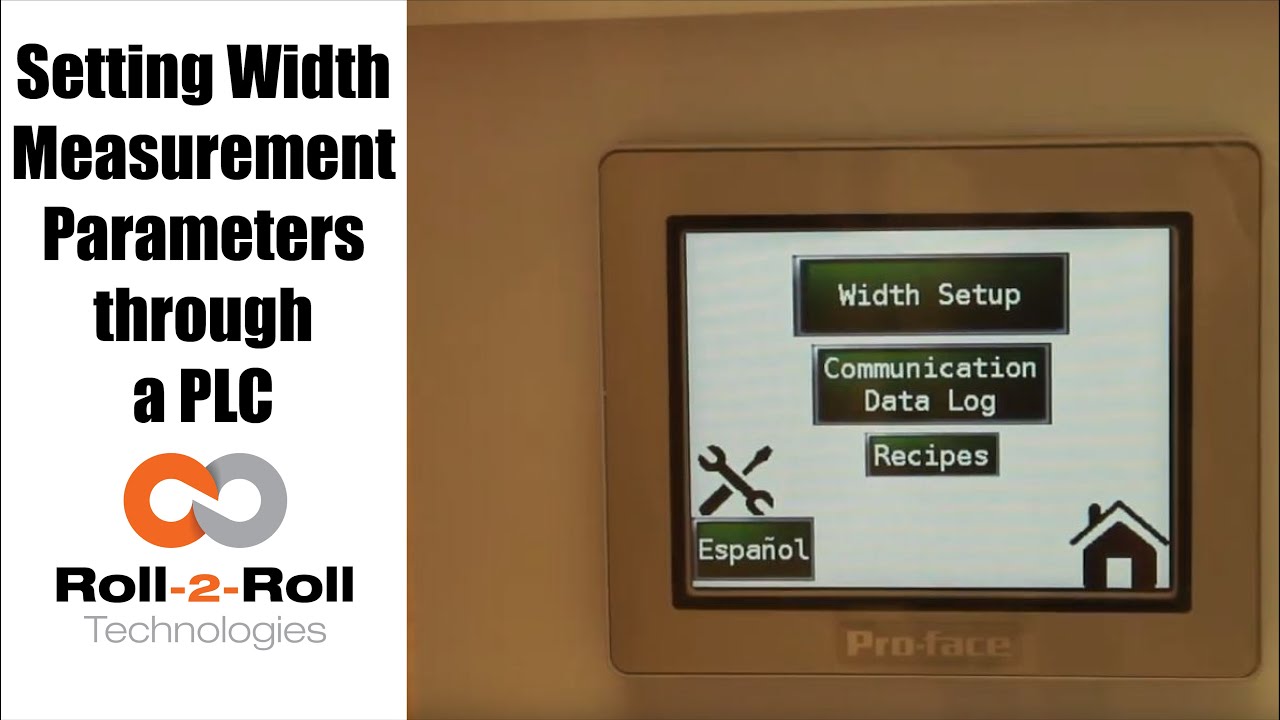
A programmable logic controller (PLC) or programmable controller is an industrial digital computer which has been ruggedized and adapted for the control of manufacturing processes, such as assembly lines, or robotic devices, or any activity that requires high reliability control and ease of programming and process fault diagnosis.
Transcript
Show full transcript (1078 words)
so in order to set up the Center for British Mint and we'll go over this menu once one more time we're going to go to the setup screen right here and then click on width setup then we can enter our nominal width the alarms the warning ranges and all those things first we want to whenever we have a new product in there we want to measure the product what the width of the product is in this case it's 153 millimeters we're going to enter 1 5 3 enter and then we're gonna set the warning to be point four millimeters so if the alarm is less than the warning the system will not accept it so the best way to do that is to make sure to set the alarm first so we'll set the alarm at 1 millimeter and there is a way for us to set a symmetric alarms so the positive range can be 1 millimeter and the negative range can be 0.5 millimeters if we want it to so in this case I'll set it at at 0.8 millimeters and then the warning range in this case let's set it to 0.4 millimeters and we have set everything what we want to do is to say hey this is the right one so we say record wait what it does is it teaches the sensor to say hey this is the nominal width we're looking for and I have presented the web with the right width and it'll take the measurement from then on so if you go back to the home screen it's going to show you the measurement and as long as it's within the range you're gonna have the green light whenever it goes to the warning limit it's gonna go to Amber and then whenever it's about the alarm it's gonna go to the red light these are actually also triggering a digital output on the PLC so we can connect a stack light with three outputs so connect the red sorry red amber and green to the three signals in the stack light the other thing that we want to point out a little bit more is the recipes so sometimes you might not see it you just have to click on this to say display recipe so what we have provided is an option for you to save seven different product recipes you can scroll through them and let's say we want to pick up product seven and we want to use that as the recipe what you need to first do is pick that number click on load and it's going to load the data here right now it doesn't have anything so let me go to one which has something ok so now I loaded product 1 and it had some values there so we'll have to load it once you load it it's loading is just for display purposes you need to press accept to accept that recipe so that it will be sent to the front screen for width measurement in this case I want to make sure to make some changes if you want to make the changes you can directly click on that width value and I'm going to enter 153 and then alarm as one date and then warning as 0.5 once I enter that if I press accept it's gonna send it to the front screen if you ever change a recipe you need to make sure to save it so right now I can press save now it saves it to the memory so that means that anytime you go back to that recipe and come back to one it will retrieve that data so make sure to remember to save it so two things one is if you want to load something it loads it here so we want to do that loads it here and if you want to take this recipe and put it into the front screen you need to press accept and any time you change the recipe you need to make sure to save it so that's the thing about recipes you have an option to say about seven recipes here there is also an option to log the data as you make the measurement there is a USB on this PLC so what you can do is you can connect a USB there and click on start logging it will it will start logging the data and whenever you're done you're gonna say stop logging and it'll stop logging the data and then you can take the USB off from there there are a few other settings here that you can set up as well these are advanced settings there is an option to override the minimum contrast in our sensor the minimum contrast is used to say whether something is an edge or not in the picture so by default we have 50 so we can have that and if you want to enforce that you need to press this button so that it changes into lime green instead of dark green whenever you want to disable you press that it disables that and this is the place where you can enter the value you can also make the sensor provide the data that is already filtered so if you want to do that you turn on the filter turn the lime green turn off the filter it goes off this is an advanced feature which is called as a minimum measurement quality whenever we take a measurement we have an output called quality factor and we can set that nominally it's ten millimeter ten is the minimum quality factor now if you want to make it higher you can set that value and enter it there so as long as there is a value it's going to take this value if you want to disable that option press n zero so I press ten and enter and it'll be that that's the minimum that you can provide so this screen is more like an advanced screen your operator wouldn't really have to do this only people engineers that are setting up the system can use this for troubleshooting purposes and stuff like that and yeah that's about it so these are the features there and like we talked about before we also have the option to log the data and showing the log of the data right here you
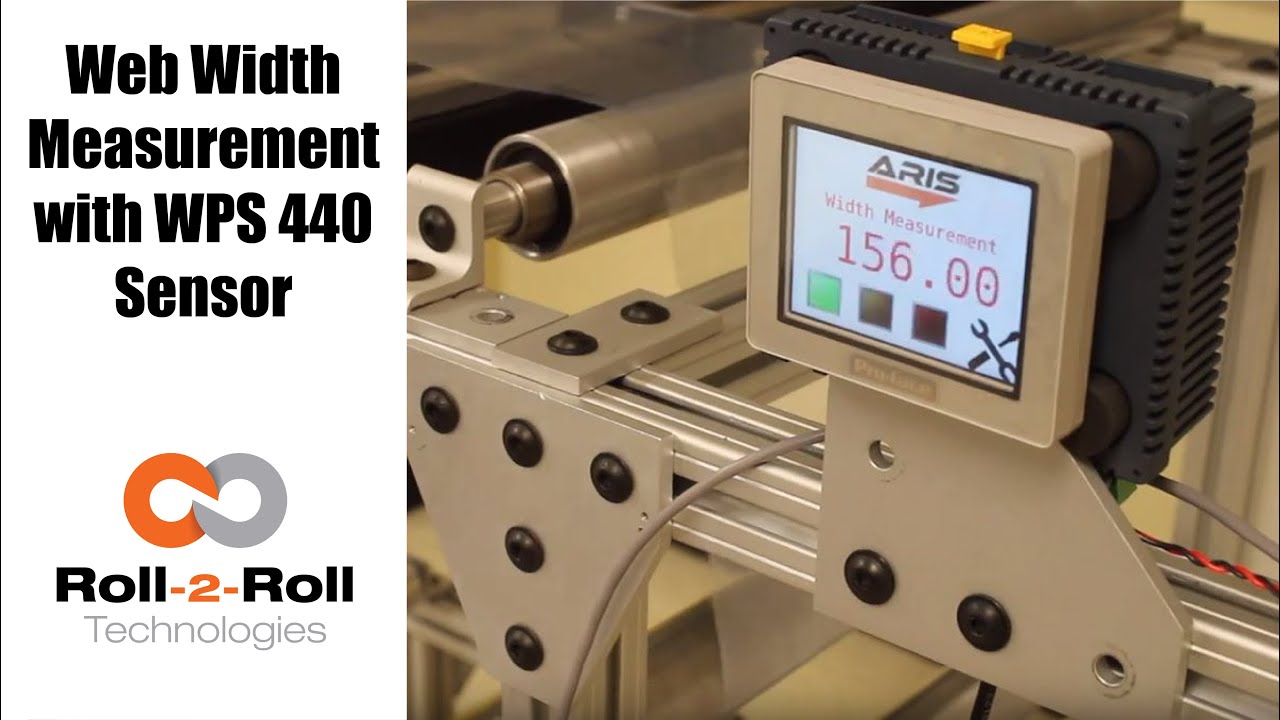
Roll-2-Roll Technologies offers robust width measurement capabilities with the WPS 440 Sensor. Using a PLC connected via ethernet, we are able to accurately measure the width of any material.
Transcript
Show full transcript (1727 words)
well today we just want to show a little bit more about our width measurement application with our 440 sensor so we have the 440 sensor installed and then you have the web coming over it we have installed two support rollers so that when the web moves it doesn't flutter too much we want to avoid fluttering whenever we do web width measurement this sensor is actually connected to Ethernet IP so you can connect it to a a PLC like this or we also have a web browser interface on the computer that you can connect to so the main things are here is how far the sensor is from the web right now we have installed it at about 5 millimeters from there that's the optimal distance that we recommend the sensor is installed facing up that is good but just to avoid any dust and other accumulation it may be better off to face the sensor down so that it's looking down towards the web a few other things that we need to consider is the the the free space behind the sensor we want to maintain about six inches of free space so that nothing in the background is seen by the sensor that's the optimal way in which we can get the best results there's also a way for us to get the maximum scattering out of the sensor if you want to do that what we would do is we will raise up this roller so that the web comes at an angle now about 10 15 to 20 degrees is the angle that we want and it depends upon the orientation of the sensor so if we if you want to get the maximum scrap scattering what we will do is we will raise up this roller so that the web comes this way but those are the few things that you want to consider before installing our 444 width measurement application other things to consider is this free span doesn't have any twisting so we don't want to install the sensor right next to a dancer roller or right next to a web guide we want to install the sensor between two fixed rollers so that we have a fixed pan and then web doesn't flutter that will be the ideal scenario what we were going to show right now is how do we get this up and running right now as you can see we have the power on to the sensor it's connected to Ethernet IP right now it's connected to a network device like a router or a switch so you can connect to the sensor through the network if you don't want to do that you can directly connect the sensor to the computer or you can directly connect this to your PLC or our PLC for that matter so just for demonstration purposes we're going to connect it to both the computer and the PLC to a network the next thing that we want to do is to connect the sensor to the PLC one of the first things that we want to do is find the IP address once the sensor is connected and powered up and connected to your network device we can pull up a utility called IP config we have information about that on our website we can go once you open up open up open up that program it will show what device there is and what's the IP address of that right now the device is said to have DHCP set automatically and it has an IP address 0 dot 0 dot 0 this is happening mainly because the Gateway doesn't match so what we would do is to make sure that they get the Gateway matches let's do that the Gateway is one one sixty eight dot one dot one and AP address of this device so right click configure on my parents one point something see you so once we do that we set a static IP address with the Gateway and everything now we can right-click and pull up a web browser and that's going to bring up our dashboard so this dashboard basically shows us several things the web measurement is shown here so this is the web in that the width measurement is 155 and something millimeters we also have a filtered width measurement we have a filtering algorithm that would take the filtered value of the raw measurement and then edge location which is left edge so that's saying where this edge is and then the right edge is showing where the other edge is and then within our software we also have what we call it as a quality factor which is basically think of it as how good of an image or how good of an edge that is so it says that the left edge has a quality factor of 300 and something and the right hand has a quality factor of 100 and something so this is a easy and quick and easy way to test our sensor make sure everything works fine we have a plot that shows the weight the measurement we also have other things that we can do with the sensor in terms of adjusting the brightness all of these are shown here so the idea the main thing that we want to do is make sure that the quality factor on the both edges are pretty high and as we mentioned before one of the things that improves the scattering is angling the sensor either we can lift this roller up or angle the sensor so that we get a pretty good quality factor so if you can notice when I move that since we don't get a good scattering the quality factor went down but if we install the sensor at the right about 15 degrees angle then we get a pretty good quality factor signal and then you get the measurement there so this particular web browser interface allows you to pan the data plot the data you can also save the data if you click on the save it stores that data as an excel file with all the information that we collect which is shown here such as the brightness and and the edge position and the width and everything so that's basically about the the web browser interface as you can see we can run the web and it collects the data as the web is moving over the sensor let's move on to the PLC and kind of show you how we can set up that PLC this is a special software that we install on it basically for customers who doesn't want to set up their own system they have the ability to use our PLC that we supply to do width measurement and also have the ability to provide a trigger measurement whenever the width varies so one of the first things that we want to do to get the PLC communicate with the sensor is to tell the PLC what the IP address of the sensor is in order to do that we're going to press these corners one after the other and then go to offline and this shows up the main screen here in the offline menu we click on peripheral and within the peripheral we're gonna select Device slash PLC setting and here we're going to use the ethernet/ip explicit messaging protocol so that's the one that we're going to select and then these settings are fine which is the standard setting the main thing that we want to set is the IP address of the device so we're going to go click on device and then set the IP address so right now it's set to 192 168 1 8 so our sensor IP address that we manually set was 192 168 1 dot 100 so we're gonna type in 100 enter and exit and then Save Changes so now the PLC is going to reboot with the new IP address we just have one more step to do to connect the PLC to the sensor or connect the PLC to communicate with the sensor and that's to enable the Ethernet communication so in order to do that we're gonna go into the settings and communication and turn on internet might be once we do that now we got the measurement from the sensor so this is the real-time width from the sensor that is going here now if the customer wants to set a few things for example if they want to teach the sensor so that we want to avoid any inaccuracy in accuracies in the measurement what we will do is we will put the web where at the location where they desire it and measure the width of the web then let's say in this case it's 155 millimetres would go in and press this 155 and press record width now they can also set warning and alarm ranges so for example we want to say alarm is for 4 millimeters warning is for 1 millimetre and going so as long as the width is within that range which is 155 we taught the sensor for that width it'll show green and whenever the width goes about a millimeter high or low the amber would show up and then when it goes about the warning the red would show up so and that's pretty much it right now we're seeing the weight variation because of the curls and all these things in the web we're trying to show or simulate some of the things that you would see when the weight varies by these curling there's also an ability for the customer to set recipes so if they have different product with you can set what is the nominal weight what is the alarm weight what is the warning with things like that you can load them you can save them and so on and so forth and also there's an ability to connect a USB here directly and save the data through the USB on this PLC right here and this PLC can be connected to an signal alarm signal lighting system with green amber and red so that it's readily visible for the operator running the machine so that's pretty much our width measurement system using our WPS 440 sensor you

Web width measurement with ARIS web position sensor from Roll-2-Roll Technologies is shown in this video. The capabilities of the sensor include both web width measurement and monitoring.
Transcript
Show full transcript (293 words)
Roll-2-Roll Technologies adds width measurement to its ARIS line of products. Absolute or relative web width can be measured based on the sensor configuration. With two output options the user has the flexibility to monitor the width based on their need. The real-time measurement can be output as an analog voltage between 0 to 10 Volts.
As the width changes the analog output increases or decreases proportionally. In this video absolute web width is measured using ARIS WPS 221 a 221 mm wide sensor. A 7 volt output corresponds to 70% width coverage which is equal to approximately 6 inches. The analog width measurement option can be used for quality monitoring and real-time control of web width in extrusion processes.
For low modulus webs, the width measurement can also be used to monitor necking in the web. The digital output option allows the user to set pass/fail conditions based on web width. A low and a high limit for width tolerance can be set. The resolution of the tolerance is in millimeters.
If the actual measurement is within the negative and positive width tolerance the voltage will be zero; this corresponds to a pass condition. If the width goes below the lower limit the output will be a negative voltage. A non-zero voltage is a fail condition. Similarly if the with goes above the upper limit the output is a positive voltage.
This pass/fail condition can be used for a variety of quality control purposes. For wider webs two sensors can be used for relative width monitoring. In that case the analog output corresponds to the percentage of web covering the two sensors. The absolute width of the web can be obtained based on the physical distance between the two sensors.
For more information please contact us.